
Claude is not available in Hong Kong because Anthropic does not list Hong Kong as a supported region. You can still use it by connecting through a VPN server in a supported country such as Japan, Taiwan, Singapore, or the US.
Google, WhatsApp, Instagram, and X all work normally in Hong Kong. Claude does not, and neither does ChatGPT. The reason is the same for both: the provider, not the government, has left Hong Kong off its list.
- Register with a VPN (we recommend ExpressVPN)
- Connect to a server in a country Anthropic supports, such as Japan, Taiwan, Singapore, or the US (a Hong Kong server will not work)
- Open claude.ai or the Claude app
※Availability can change when Anthropic updates its supported regions. We checked the official list on September 20, 2026.
Is Claude Available in Hong Kong?
No. Anthropic’s official “Supported countries and regions” page lists Japan, Taiwan, Singapore, the US, and most of Europe, but Hong Kong, Macau, and mainland China are not on it. (Source: Anthropic, Supported countries and regions)
The same list applies to Claude.ai (web and mobile apps) and to the Claude API, so Claude Code and API access are treated the same way.
If you open claude.ai from a Hong Kong IP address, you are redirected to an “App unavailable” page that says Claude is only available in certain regions right now, and you cannot go any further.
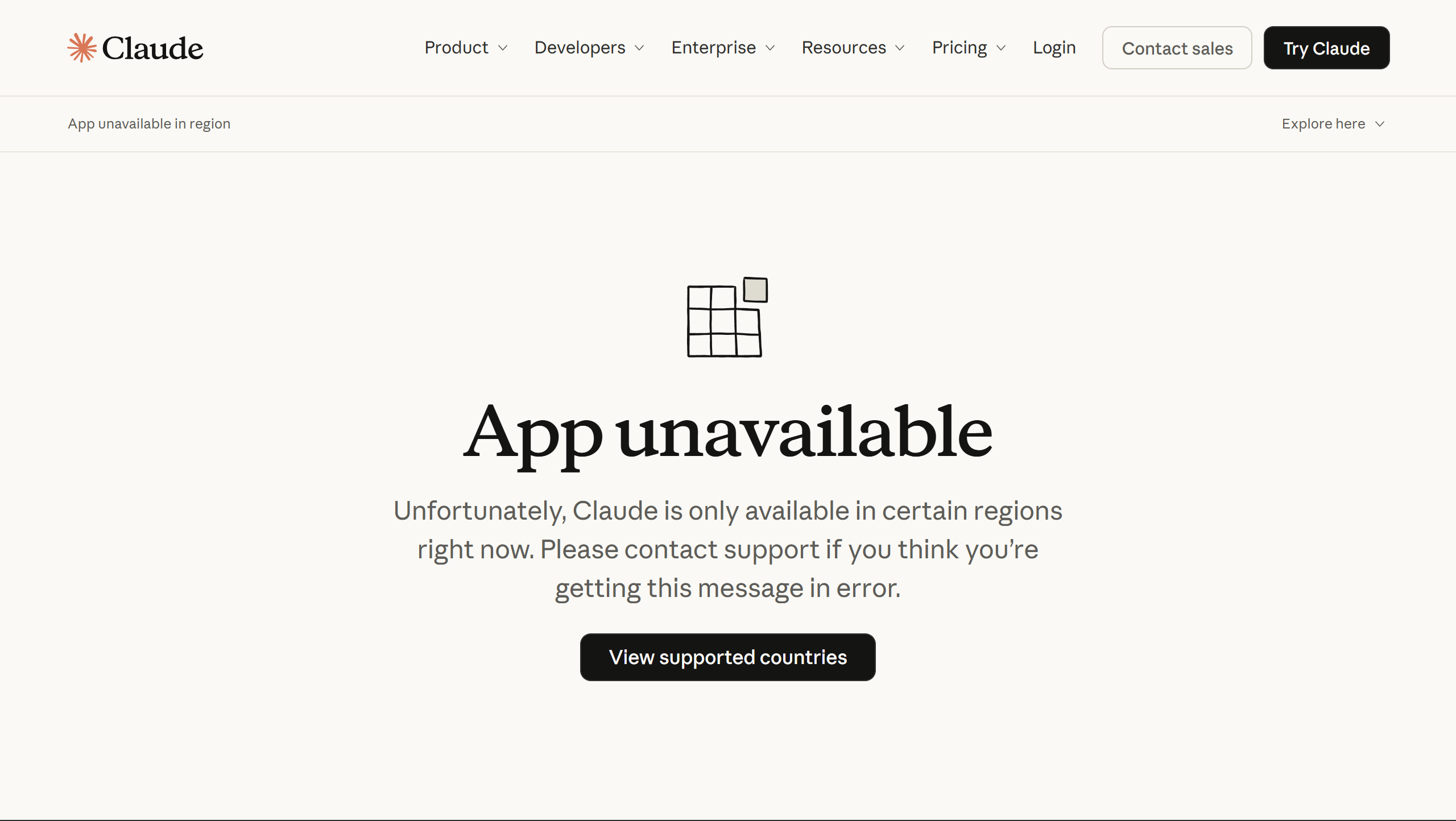
This is different from mainland China, where the Great Firewall blocks the connection itself. In Hong Kong the network is open; it is Anthropic’s own policy that keeps Claude out, exactly as OpenAI does with ChatGPT. >> Unblocking ChatGPT in Hong Kong
Which AI tools work in Hong Kong right now
Not every AI service is off-limits. Google’s Gemini has been available in Hong Kong since March 2026, and Google’s help page lists both Hong Kong and Macau among the supported regions. (Source: Gemini Apps Help, Where you can use the Gemini web app)
ChatGPT and Claude, on the other hand, are excluded by their providers. So the split in Hong Kong is not “AI is blocked” but “some companies serve Hong Kong and some do not.”
Why Anthropic Doesn’t Support Hong Kong
Anthropic has not published a reason. We do not speculate; the fact we can verify is that Hong Kong is absent from the supported list, and that the absence applies to both the consumer app and the API. If the list changes, this article will be updated.
How to Use Claude in Hong Kong with a VPN
A VPN routes your connection through a server in another country, so Claude sees an IP address from that country instead of Hong Kong. >> What is a VPN?
- Register with a VPN (we recommend ExpressVPN)
- Connect to a server in a supported country
- Open claude.ai or the Claude app
Step 1: Sign up for ExpressVPN
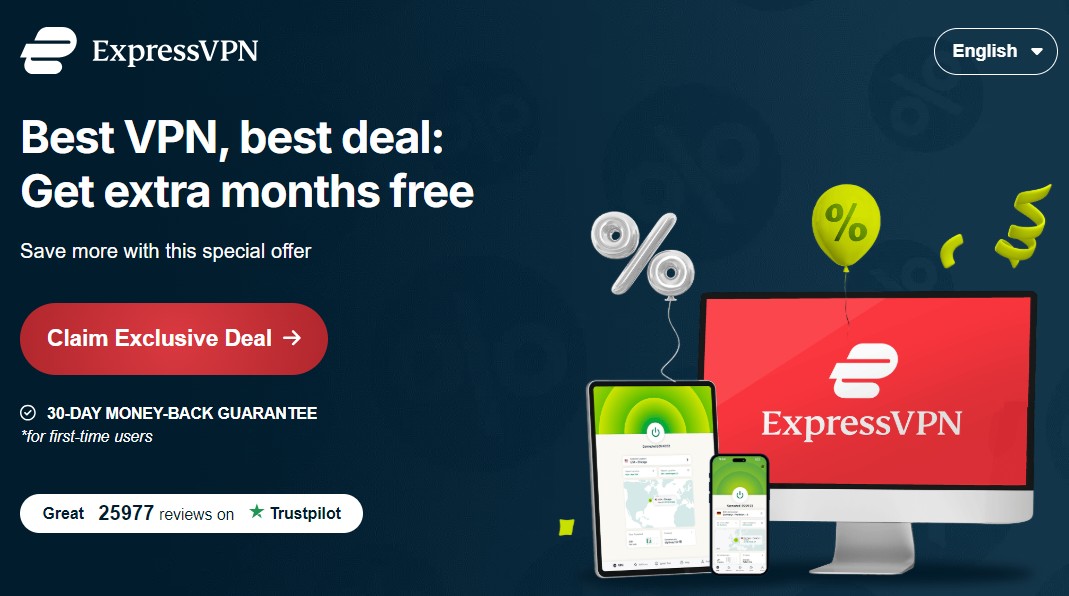
To register with ExpressVPN, click the “Claim Exclusive Deal” button as shown below and follow the instructions after the price plan appears.
Step 2: Connect to a server in a supported country
Download and launch the app, then connect to a server in a country Anthropic supports. Japan, Taiwan, and Singapore are the closest options; the US works too.
Do not pick the Hong Kong server. It gives you a Hong Kong IP address, which is exactly what Claude rejects.
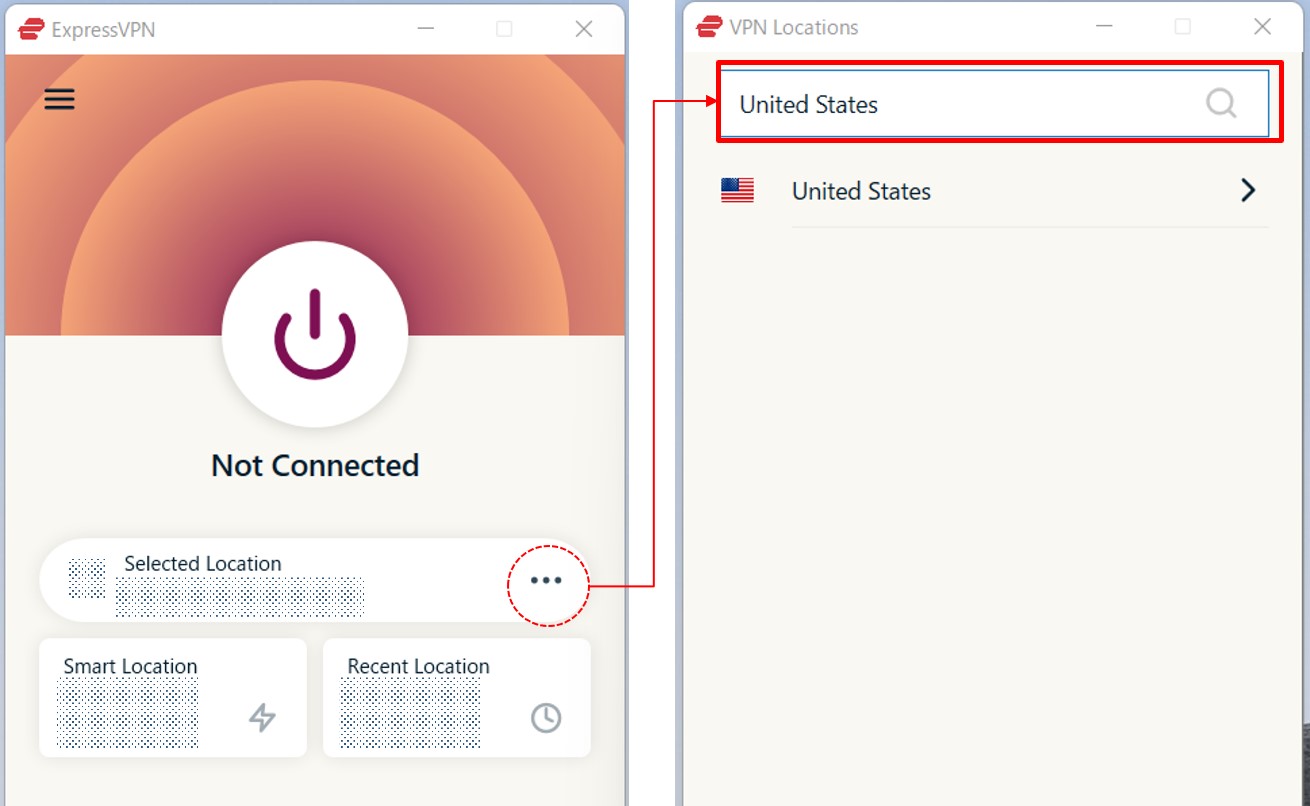
To connect to the US, for example, click “…” in the app and type “United States” in the search box.
Step 3: Open claude.ai
With the VPN connected, go to claude.ai and sign in. If you use the mobile app, connect the VPN first and open the app afterwards. Everything works as it does in a supported country.
Create Your Claude Account Before You Arrive
Signing up requires a phone number, and Anthropic’s help center is explicit about which numbers it accepts: “We also require a phone number from a supported location to create an account,” and “Only users physically located in one of our supported locations can create and use Claude accounts.” (Source: Claude Help Center, Verify your phone number)
A Hong Kong mobile number will not pass verification. The same page also rules out “VoIP numbers, Google Voice, phone numbers created using apps, landlines, or other numbers that can’t receive texts,” so the virtual-number services that some guides recommend are not an option under Anthropic’s own rules.
The practical answer is to create the account with a number from a supported country before you travel, or while you are outside Hong Kong.
For Developers: API, Claude Code, and Enterprise Access
Because the supported-regions list is shared between Claude.ai and the API, calls from a Hong Kong IP address to the API are treated the same way as the app. Developers in Hong Kong using Claude Code or building on the API connect through a VPN to a supported country in the same three steps.
Companies may also have access to Claude models through cloud platforms such as AWS. We have not tested those routes from Hong Kong, so check the provider’s own regional terms before relying on them.
The Best VPN Services for Using Claude in Hong Kong
Here are the VPN services we recommend. All three have servers in Japan, Taiwan, and Singapore.
There are free VPNs, but we recommend paid services for privacy and security, because free VPNs rarely explain how they handle your traffic logs. ExpressVPN, NordVPN, and Surfshark all offer a 30-day money-back guarantee and keep no activity or connection logs. >> Paid VPNs vs. Free VPNs
| ExpressVPN | NordVPN | SurfShark | |
| Prices | Basic: $2.99/mo Advanced: $3.99/mo Pro: $5.99/mo (2 Years + 4 Months plan, as of September 2026) | Basic: $3.49/mo Complete: $4.49/mo Prime: $7.49/mo (2 Years + 3 Months plan, as of July 2026) | Starter: $2.80/mo One: $3.14/mo One+: $5.05/mo (2 Years + 3 Months plan, as of September 2026) |
| Money-back Guarantee | 30 days | 30 days | 30 days |
| Countries | 113 (214 locations) | 149 (224 locations) | 100 (142 locations) |
| Servers | Not disclosed | 9,374 | 4,500+ |
| Maximum devices supported | Basic 10 / Advanced 12 / Pro 14 | 10 | Unlimited |
| Connection Speed | Ultra Fast | Fast | Fast |
| Security | AES-256 Kill Switch | AES-256 Kill Switch | AES-256 Kill Switch |
| Privacy | No-logging | No-logging | No-logging |
| Support | 24/7 Live Chat Support | 24/7 Live Chat Support | 24/7 Live Chat Support |
ExpressVPN: Ultra-fast Internet Speeds
| Prices | Basic: $2.99/mo Advanced: $3.99/mo Pro: $5.99/mo (2 Years + 4 Months plan, as of September 2026) |
| Money-back Guarantee | 30 days |
| Countries | 113 (214 locations) |
| Servers | Not disclosed |
| Maximum devices supported | Basic 10 / Advanced 12 / Pro 14 |
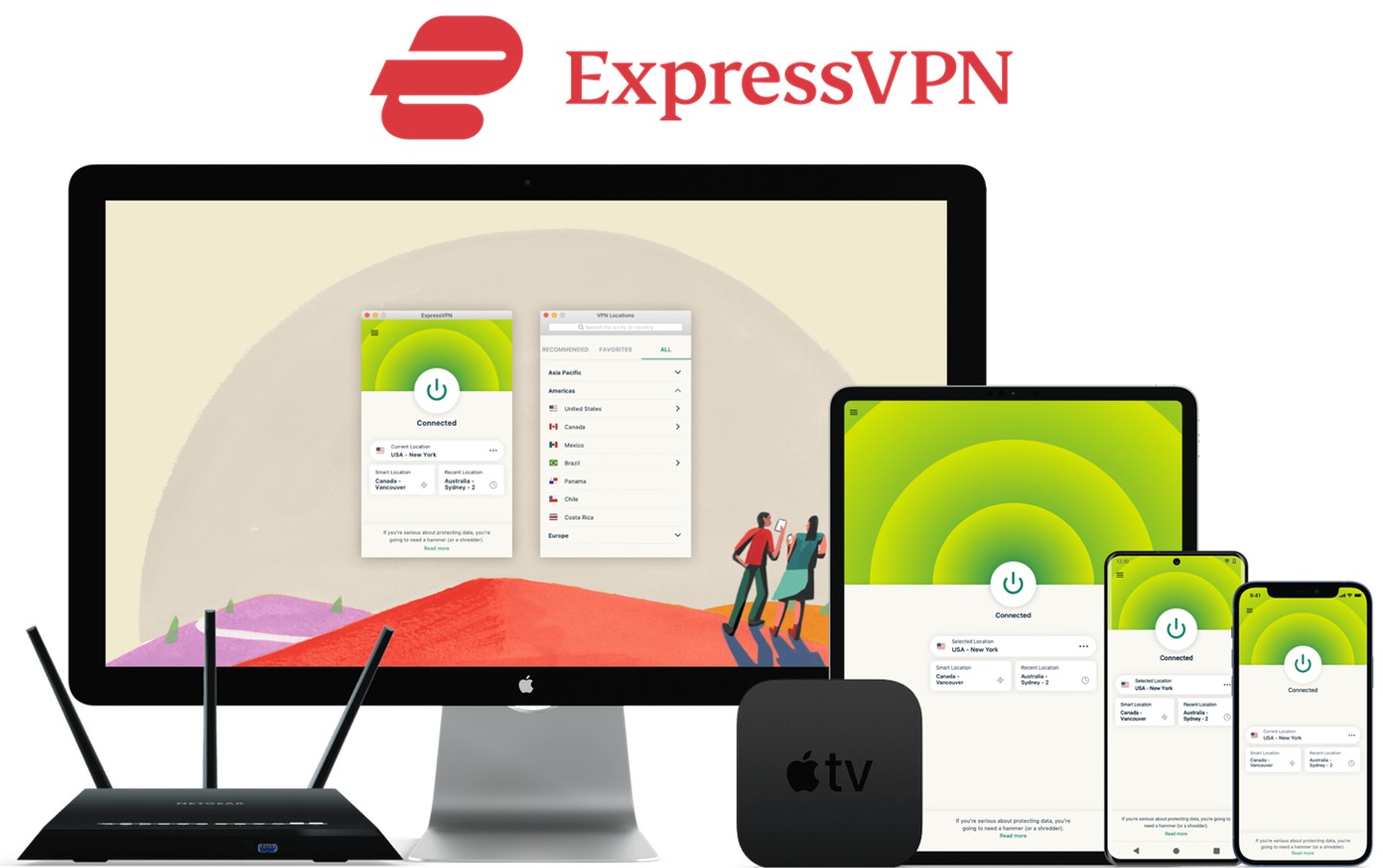
ExpressVPN offers some of the fastest internet speeds among the VPNs we have used. All VPNs may slow down your internet connection, but ExpressVPN is one of the fastest, and you rarely notice the difference. Review sites consistently rank ExpressVPN as one of the fastest VPNs. Additionally, with servers in 113 countries across 214 locations, you have a wide choice of countries to change IP addresses to. Real humans are available 24-hour live chat support to help you with setup and troubleshooting. ExpressVPN also has a no-log policy.
After you’ve registered with ExpressVPN, you can use it to easily browse the internet just by downloading their app.
- Excellent speed and stability
- Fast and user-friendly app
- Strict no-logs policy
- Wide range of server countries
- Accepts Bitcoin payments
- Slightly more expensive than competitors
- Place a high importance on internet speed
\30 day Money-Back Guarantee/
NordVPN: The Ultimate Balance of Price and Internet Speed
| Prices (standard plan) | Basic: $3.49/mo Complete: $4.49/mo Prime: $7.49/mo (2 Years + 3 Months plan, as of July 2026) |
| Money-back Guarantee | 30 days |
| Countries | 149 (224 locations) |
| Servers | 9,374 |
| Maximum devices supported | 10 |
NordVPN’s excellent service, and balance of price, internet speed, servers, and countries, has allowed it to gain the greatest market share in the world. Overall, NordVPN consistently receives great reviews from leading experts. NordVPN has 9,374 servers in 149 countries, so you also have a lot of choices for which country to change your IP address to. You can et help and advice from our friendly customer support team through email or live chat for your 24/7. And NordVPN also has a no-log policy.
After you’ve registered, you can easily browse the internet using NordVPN just by downloading their app.
- World's most popular VPN by new user subscriptions
- Large number of available servers
- Competitive pricing
- Strict no-logs policy
- User-friendly dedicated apps
- Accepts cryptocurrency payments
- Short-term plans can be relatively costly
- Want to balance price and internet speed
\30 day Money-Back Guarantee/
Surfshark: Impressive Performance with a Lower Price
| Prices (standard plan) | Starter: $2.80/mo One: $3.14/mo One+: $5.05/mo (2 Years + 3 Months plan, as of September 2026) |
| Money-back Guarantee | 30 days |
| Countries | 100 (142 locations) |
| Servers | 4,500+ |
| Maximum devices supported | Unlimited |
Surfshark offers impressive performance with a lower price. You can get Surfshark much cheaper than other services if you apply for the 24-month plan. Furthermore, Surfshark has no connection limits. So, you and your family can connect and use all your devices simultaneously. Surfshark has more than 4,500 servers in 100 countries. Just like the other VPNs, you also have a lot of choices for which country to change your IP address to. Customer support experts are there for you 24/7, if you need a helping hand with them via live chat or email. And SurfsharkVPN also has a no-log policy.
After you’ve registered, you can easily browse the internet using Surfshark by downloading their app.
- Affordable price (cheaper than NordVPN & ExpressVPN)
- Unlimited simultaneous connections (ideal for families)
- Large number of available servers
- Speeds comparable to top-tier providers
- Strict no-logs policy
- Accepts cryptocurrency payments
- Less effective at bypassing geo-restrictions
- Limited service history / Less established
- Who are budget conscious and want to want to connect with lots of devices
\30 day Money-Back Guarantee/
FAQs
Is Claude’s functionality limited when accessed from Hong Kong via a VPN?
No. Once your connection comes from a supported country, Claude works exactly as it does there.
Are VPNs illegal in Hong Kong?
No, it is generally legal to use a VPN in Hong Kong. Unlike mainland China, Hong Kong retains a more open internet, and VPN usage itself is not prohibited. The restriction on Claude comes from Anthropic, not from the government.
Can I subscribe to Claude Pro from Hong Kong?
Claude Pro is listed at $20 per month or $200 per year, and Claude Max starts at $100 per month. Prices are in US dollars and exclude tax. (Source: Claude, Pricing, as of September 2026) The subscription is tied to your account, so it follows the same regional rules as sign-up.
Does a Hong Kong VPN server work for Gemini or ChatGPT?
Gemini is available in Hong Kong, so you do not need a VPN for it at all. ChatGPT, like Claude, is excluded by its provider, so a Hong Kong server does not help; connect to Japan or the US instead.
Conclusion
- Claude is not available in Hong Kong because Anthropic does not list it as a supported region. The network is open; the provider is not.
- A VPN server in Japan, Taiwan, Singapore, or the US makes Claude work. A Hong Kong server does not.
- Create your account with a phone number from a supported country before you arrive. Virtual numbers are not accepted.
Traveling on to mainland China? The rules change there: >> How to Use Claude in China