
The cheapest country for YouTube Premium is Nigeria, followed by India, Turkey and Ukraine (prices last checked: July 2026).
Below is a list of countries where YouTube Premium is offered for a lower price.
- Create a New Google Account
- Register with a VPN (We highly recommend NordVPN and ExpressVPN)
- Download and Launch the App and Connect to a Server in the Country which is Offered YouTube Premium for a Lower price, like Nigeria, Argentina, India, Turkey or Ukraine
- Login to Your New Google Account and Access YouTube Premium via the Country
- Add Your Credit Card Information
By using a VPN, you will get YouTube Premium for lower price and save money! Check the below articles for details.
▼ How to Get YouTube Premium for a Lower Price ▼
In which Country is YouTube Premium Cheapest?
The cheapest country for an individual YouTube Premium plan is Nigeria, followed by India, Turkey, Ukraine and the Philippines (prices checked in July 2026; see the tables below).
The price for an individual YouTube Premium plan in the US is $15.99/month. However, in Nigeria, it’s around $1.27/month. This means you could save approximately $14.72/month ($177/year) if you subscribe through Nigeria. For the family plan, the potential savings amount to roughly $24.90/month ($299/year).
Below, you’ll find a price list comparing the YouTube Premium individual and family plans in the US and other major countries, alongside those with the lowest prices.
▼▼ Individual Plan ▼▼
| Monthly price (Local Currency) | Difference | Reference | |
| United States | $15.99 | – | – |
| Nigeria | $1.27 (1,700[NGN]) | -$14.72 | $1=1,339[NGN] Exchange Rates |
| India | $1.56 (149[INR]) | -$14.43 | $1=95.39[INR] Exchange Rates |
| Turkey | $1.66 (79.99[TRY]) | -$14.33 | $1=48.25[TRY] Exchange Rates |
| Ukraine | $2.22 (99[UAH]) | -$13.77 | $1=44.56[UAH] Exchange Rates |
| Philippines | $2.55 (159[PHP]) | -$13.44 | $1=62.25[PHP] Exchange Rates |
| Argentina | $2.97 (4,499[ARS]) | -$13.02 | $1=1,513[ARS] Exchange Rates |
| Vietnam | $3.03 (79,000[VND]) | -$12.96 | $1=26,051[VND] Exchange Rates |
| Indonesia | $4.03 (71,400[IDR]) | -$11.96 | $1=17,717[IDR] Exchange Rates |
| Brazil | $5.21 (26.9[BRL]) | -$10.78 | $1=5.16[BRL] Exchange Rates |
| Romania | $5.75 (26[RON]) | -$10.24 | $1=4.52[RON] Exchange Rates |
| Malaysia | $5.93 (23.9[MYR]) | -$10.06 | $1=4.03[MYR] Exchange Rates |
| Saudi Arabia | $6.40 (23.99[SAR]) | -$9.59 | $1=3.75[SAR] Exchange Rates |
| Poland | $6.99 (25.99[PLN]) | -$9.00 | $1=3.72[PLN] Exchange Rates |
| Sweden | $7.25 (69[SEK]) | -$8.74 | $1=9.52[SEK] Exchange Rates |
| Norway | $7.40 (69[NOK]) | -$8.59 | $1=9.33[NOK] Exchange Rates |
| Japan | $8.02 (1,280[JPY]) | -$7.97 | $1=159.68[JPY] Exchange Rates |
| Mexico | $9.38 (159[MXN]) | -$6.61 | $1=16.95[MXN] Exchange Rates |
| Canada | $10.10 (13.99[CAD]) | -$5.89 | $1=1.385[CAD] Exchange Rates |
| New Zealand | $10.70 (17.99[NZD]) | -$5.29 | $1=1.682[NZD] Exchange Rates |
| Denmark | $10.75 (69[DKK]) | -$5.24 | $1=6.42[DKK] Exchange Rates |
| Hong Kong | $11.22 (88[HKD]) | -$4.77 | $1=7.84[HKD] Exchange Rates |
| Singapore | $15.73 (19.99[SGD]) | -$0.26 | $1=1.271[SGD] Exchange Rates |
| Netherlands | $16.29 (13.99[EUR]) | +$0.30 | $1=0.859[EUR] Exchange Rates |
| Italy | $16.29 (13.99[EUR]) | +$0.30 | $1=0.859[EUR] Exchange Rates |
| Germany | $16.29 (13.99[EUR]) | +$0.30 | $1=0.859[EUR] Exchange Rates |
| France | $16.29 (13.99[EUR]) | +$0.30 | $1=0.859[EUR] Exchange Rates |
| United Kingdom | $16.29 (11.99[GBP]) | +$0.30 | $1=0.736[GBP] Exchange Rates |
| Australia | $16.54 (22.99[AUD]) | +$0.55 | $1=1.390[AUD] Exchange Rates |
| Switzerland | $22.39 (18[CHF]) | +$6.40 | $1=0.804[CHF] Exchange Rates |
▼▼ Family Plan ▼▼
| Monthly price (Local Currency) | Difference | Reference | |
| United States | $26.99 | – | – |
| Nigeria | $2.09 (2,800[NGN]) | -$24.90 | $1=1,339[NGN] Exchange Rates |
| India | $3.13 (299[INR]) | -$23.86 | $1=95.39[INR] Exchange Rates |
| Turkey | $3.32 (159.99[TRY]) | -$23.67 | $1=48.25[TRY] Exchange Rates |
| Ukraine | $3.34 (149[UAH]) | -$23.65 | $1=44.56[UAH] Exchange Rates |
| Philippines | $5.12 (319[PHP]) | -$21.87 | $1=62.25[PHP] Exchange Rates |
| Vietnam | $6.49 (169,000[VND]) | -$20.50 | $1=26,051[VND] Exchange Rates |
| Argentina | $6.81 (10,299[ARS]) | -$20.18 | $1=1,513[ARS] Exchange Rates |
| Romania | $8.63 (39[RON]) | -$18.36 | $1=4.52[RON] Exchange Rates |
| Indonesia | $9.54 (169,000[IDR]) | -$17.45 | $1=17,717[IDR] Exchange Rates |
| Saudi Arabia | $9.60 (35.99[SAR]) | -$17.39 | $1=3.75[SAR] Exchange Rates |
| Brazil | $10.45 (53.9[BRL]) | -$16.54 | $1=5.16[BRL] Exchange Rates |
| Poland | $12.63 (46.99[PLN]) | -$14.36 | $1=3.72[PLN] Exchange Rates |
| Malaysia | $12.88 (51.9[MYR]) | -$14.11 | $1=4.03[MYR] Exchange Rates |
| Japan | $14.28 (2,280[JPY]) | -$12.71 | $1=159.68[JPY] Exchange Rates |
| Canada | $16.60 (22.99[CAD]) | -$10.39 | $1=1.385[CAD] Exchange Rates |
| Mexico | $18.82 (319[MXN]) | -$8.17 | $1=16.95[MXN] Exchange Rates |
| Singapore | $23.60 (29.99[SGD]) | -$3.39 | $1=1.271[SGD] Exchange Rates |
| Hong Kong | $26.53 (208[HKD]) | -$0.46 | $1=7.84[HKD] Exchange Rates |
| United Kingdom | $27.16 (19.99[GBP]) | +$0.17 | $1=0.736[GBP] Exchange Rates |
| Australia | $28.77 (39.99[AUD]) | +$1.78 | $1=1.390[AUD] Exchange Rates |
| Netherlands | $30.26 (25.99[EUR]) | +$3.27 | $1=0.859[EUR] Exchange Rates |
| Italy | $30.26 (25.99[EUR]) | +$3.27 | $1=0.859[EUR] Exchange Rates |
| Germany | $30.26 (25.99[EUR]) | +$3.27 | $1=0.859[EUR] Exchange Rates |
| France | $30.26 (25.99[EUR]) | +$3.27 | $1=0.859[EUR] Exchange Rates |
| Switzerland | $42.16 (33.9[CHF]) | +$15.17 | $1=0.804[CHF] Exchange Rates |
If you want to get YouTube Premium for a lower price, you need to subscribe via countries where YouTube Premium is offered for a lower price.
How to Actually Pay: Billing Address and Payment Method Requirements (2026)
Getting the cheaper price page to appear is the easy part. The step where most readers get stuck is payment. YouTube checks the billing details you enter, and in some countries a subscription is only accepted when those details match the sign-up country.
Here is what we have confirmed in our country guides:
- Billing address: enter an address in the sign-up country (a hotel address works). A foreign billing address is the most common reason a subscription is rejected.
- Credit card: if your card is declined, try another card first. If it is still declined, subscribe via another country on the list instead. Nigeria, India, Ukraine, Vietnam and Malaysia are the countries readers switch to most often.
- Turkey and India are the two countries we receive the most payment questions about. Each guide has a section on what to do when your card is not accepted.
- New Google account: create the account while connected to the VPN, and keep the account’s country and billing address consistent afterwards.
The country-by-country steps, including screenshots of the payment screen, are in the guides below.
“We Couldn’t Verify Your Country”: What It Means and What to Do
YouTube compares the location of your IP address with the country of your account and payment details. When they do not match, or when YouTube recognises the VPN server you are using, you may see the message “We couldn’t verify your country” and the cheaper price page will not open.
In most cases this means the VPN server has been detected. Try the following, in this order:
- Switch to a different VPN server in the same country
- Clear your browser’s cache, or try a different browser or device
- Change the VPN protocol in the app settings
- Contact your VPN provider’s support and ask which servers currently work with YouTube
Since 2024, YouTube has tightened these checks at sign-up, and there have been reports of memberships being cancelled when the sign-up country does not match where the account is actually used. Two things reduce the risk: use a VPN with many servers in the country you choose (we recommend NordVPN and ExpressVPN), and keep your account’s country and billing address unchanged after subscribing.
What are VPNs?
A VPN, or Virtual Private Network, is a secure connection method between your device and the internet.
Using a VPN changes your IP address.
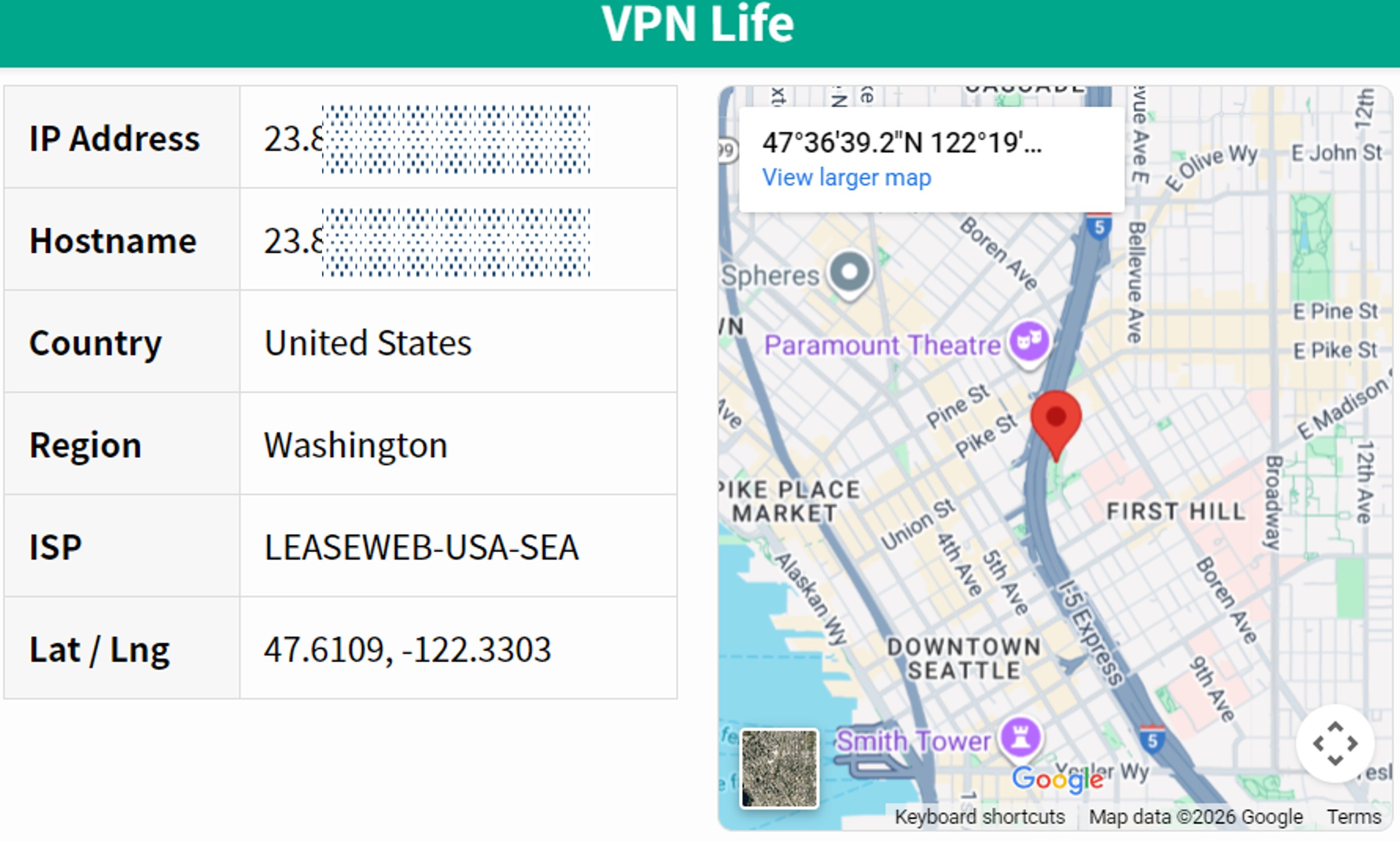
For example, if you access a website like YouTube via an internet provider in the US, your IP address will appear like this.
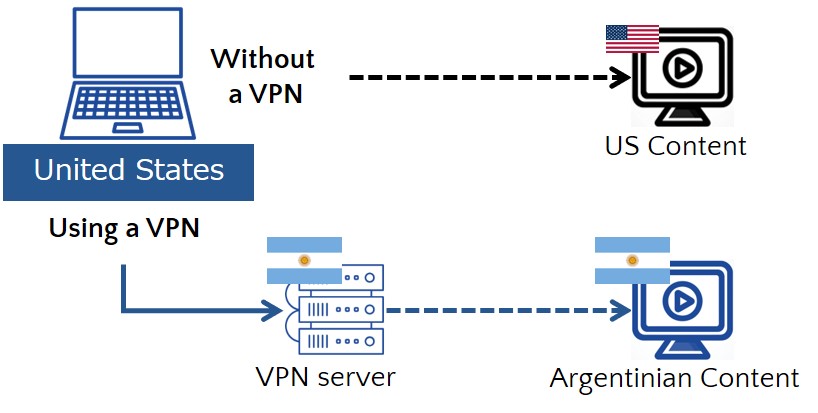
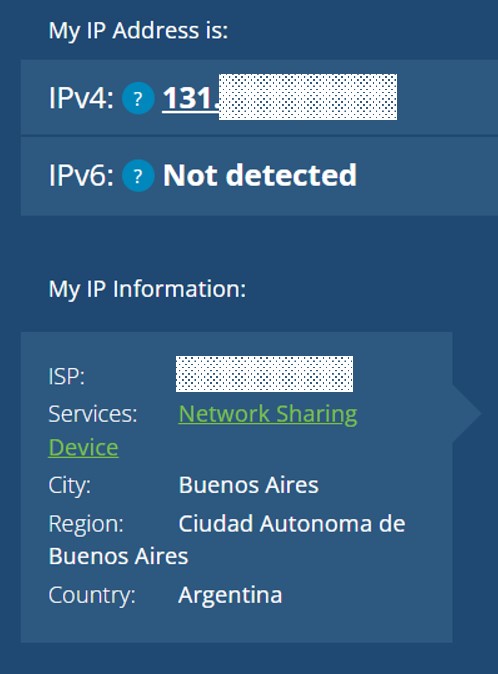
The website determines that it was accessed from a US IP address, and shows content based on that determination. If you access a website via Argentinian VPN servers by using a VPN, the website determines that it was accessed from Argentina. Screen content for Argentina will be shown automatically. This includes language, pricing, and so on. And thus you can subscribe to YouTube Premium for the price set in Argentina.
Your IP address will actually appear like this.
For more detailed about VPNs, please refer to the following articles.
What are Other Benefits of Using a VPN?
Here are two more benefits of using a VPN.
- Save Money on Other Subscriptions Services
- Watch Websites that May Not Be Available in Your Country
- Protect Your Privacy
Save Money on Other Subscription Services
You can save money on other services by using a VPN, not only YouTube Premium. For example, by using a VPN, you can also save money on subscription services to five other services: Netflix, Apple Music, Spotify, Microsoft 365 and Canva.
| Netflix | Annual savings of around $78 per year |
| Apple music | Annual savings of around $117 per year |
| Spotify | Annual savings of around $80 per year |
| Microsoft | Annual savings of around $100 per year |
| Canva Pro | Annual savings of around $70 per year |
Watch Websites that May Not Be Available in Your Country
Using a VPN can significantly broaden your digital horizons, allowing you to access websites and content that might not be available in your country. Whether you’re looking to stream your favorite TV shows and movies, access international news sites, or explore global online services, a VPN provides a key to unblock the vast world of internet content without borders.
Protect Your Privacy
Using a VPN enhances your online privacy, especially on public Wi-Fi networks, which are often unsecured. It encrypts your internet traffic, shielding your online activities from prying eyes, whether they’re hackers, advertisers, or even internet service providers.
FAQs
Is it legal to get YouTube Premium cheaper with VPNs?
Using VPNs to get cheaper subscriptions is legal. VPNs are widely used by individuals to protect their private information and other online activity.
Is it legal to watch movies from outside of your country with VPNs?
Using VPNs to watch movies from outside of your country is legal. VPNs are widely used by individuals to protect their private information and other online activity. And, connecting to Netflix or YouTube Premium while traveling abroad is a common occurrence. So, access from a different country than usual is unlikely a violation of Netflix’s or YouTube terms and conditions.
Is it still possible to get YouTube Premium cheaper in 2026?
Yes. As of our July 2026 price check, YouTube Premium is still priced very differently from country to country, and the tables above reflect the current prices. What has changed is that the payment and country checks at sign-up are stricter than they used to be. Follow the billing address and payment steps in each country guide, and if one country does not accept your card, use another country on the list.
Will my subscription be cancelled if YouTube finds out I don’t live in that country?
It can happen. YouTube’s terms allow it to end memberships that do not match the country of residence, and there have been reports of such cancellations since 2024. In practice, most problems appear at sign-up (payment or “we couldn’t verify your country”) rather than after subscribing. Keeping your account’s country and billing address consistent reduces the risk, but you should be aware of it before you subscribe.
Conclusion
- YouTube Premium is priced differently country by country. The cheapest country for an individual YouTube Premium plan is Nigeria, followed by India, Turkey, Ukraine and the Philippines (July 2026).
- VPNs are essential for contracting with YouTube Premium for a lower price.
- How to get YouTube Premium cheaper: [Register with a VPN >> Download and launch the app >> Connect to a server in the country which is Offered YouTube Premium for a Lower price >> Access YouTube Premium via the Country >> Add your credit card information]