
Using a Chromebook in Japan? A VPN lets you reach the streaming services, news sites and online banking of your home country, and it keeps your traffic protected on the public Wi-Fi in cafés, stations and hotels. This guide covers how to set one up on Chrome OS and which services work best.
Are you looking to enhance the security and versatility of your device? Finding the Best VPN for your Chromebook can seem challenging, but it’s the key to unlocking a more private and unrestricted internet experience.
Whether you’re concerned about privacy on public Wi-Fi, trying to access content from back home while traveling, or simply want to understand how to use these tools, you’ve come to the right place. This guide will walk you through everything from the initial setting process to selecting the perfect service for your needs, ensuring you can make an informed decision and get the most out of your Chromebook.

When you need a VPN on a Chromebook
A Virtual Private Network, or VPN, is a powerful tool that serves two primary functions: enhancing your online security and providing access to a more open internet. For Chromebook users, who value speed and simplicity, integrating a VPN can address specific needs that arise from daily use, whether at a coffee shop, at home, or traveling abroad. Understanding the situations where a VPN is beneficial is the first step toward a safer and more flexible online experience.
To watch geo-restricted content
One of the most common reasons to use a VPN is to access content that is unavailable in your current geographical location. Streaming services, news websites, and other online platforms often restrict access based on a user’s IP address, which reveals their country. This practice is known as geo-blocking or region-locking.
A VPN allows you to bypass these restrictions by routing your internet connection through a server in a different country. For example, if you are traveling outside the US and want to watch a show that is only available on the American version of a streaming platform, you can connect to a VPN server located in the US. This makes it appear as if you are browsing from within the United States, granting you access to your desired content. This capability transforms your Chromebook into a truly global entertainment and information hub, freeing you from the limitations of your physical location.
To improve security and privacy
In an age of increasing digital threats, maintaining your online privacy and security is of great importance. When you connect to the internet, especially on unsecured public Wi-Fi networks like those in cafes, airports, or hotels, your data can be vulnerable to interception by malicious actors.
A VPN creates a secure, encrypted tunnel between your Chromebook and the internet. This encryption scrambles your data, making it unreadable to anyone who might try to snoop on your activity, including your Internet Service Provider (ISP), network administrators, or hackers. By masking your real IP address and encrypting your traffic, a VPN protects your sensitive information, such as passwords, financial details, and personal communications. This ensures that your online activities remain private and secure, giving you peace of mind wherever you connect.
Top 3 Recommended VPNs for Chromebook
Choosing the right VPN involves balancing factors like speed, security, ease of use, and price. Since Chromebooks primarily run on ChromeOS and support Android apps via the Google Play Store, compatibility and a user-friendly Android app are essential. Here are three top-tier VPNs that perform exceptionally well on Chromebooks.
| ExpressVPN | NordVPN | SurfShark | |
| Prices | Basic: $2.79/mo Advanced: $3.99/mo Pro: $6.99/mo (2 Years + 4 Months plan, as of November 2026) | Basic: $3.49/mo Complete: $4.49/mo Prime: $7.49/mo (2 Years + 3 Months plan, as of July 2026) | Starter: $2.80/mo One: $3.14/mo One+: $5.05/mo (2 Years + 3 Months plan, as of September 2026) |
| Money-back Guarantee | 30 days | 30 days | 30 days |
| Countries | 113 (214 locations) | 149 (224 locations) | 100 (142 locations) |
| Total Number of Servers | Not disclosed | 9,374 | 4,500+ |
| Servers in the US | Yes | Yes | Yes |
| Connection Speed | Ultra Fast | Fast | Fast |
| Security | AES-256 Kill Switch | AES-256 Kill Switch | AES-256 Kill Switch |
| Privacy | No-logging | No-logging | No-logging |
| Support | 24/7 Live Chat Support | 24/7 Live Chat Support | 24/7 Live Chat Support |
| Maximum devices supported | Basic 10 / Advanced 12 / Pro 14 | 10 | Unlimited |
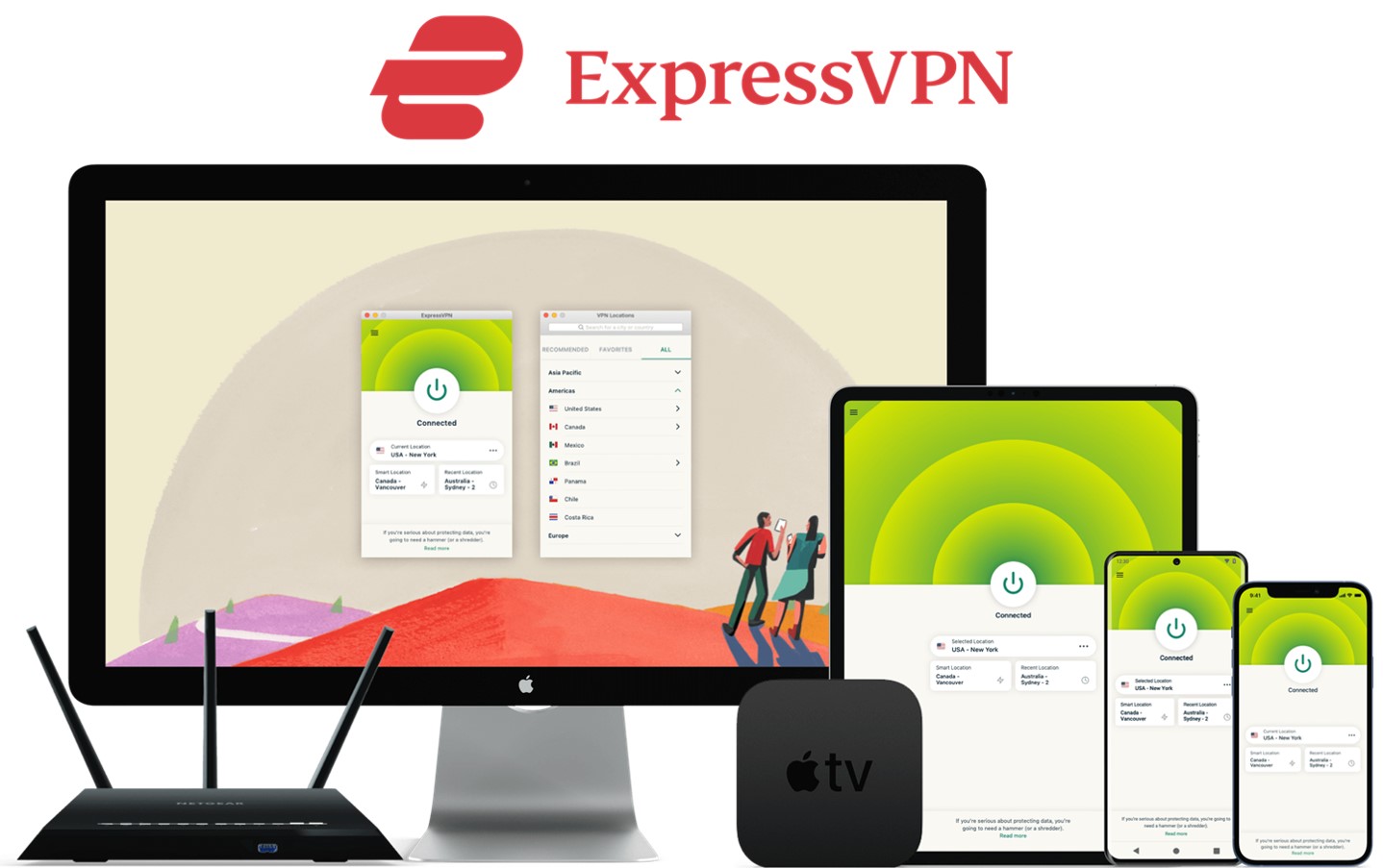
ExpressVPN: Ultra-fast Internet Speeds
| Prices | Basic: $2.79/mo Advanced: $3.99/mo Pro: $6.99/mo (2 Years + 4 Months plan, as of November 2026) |
| Money-back Guarantee | 30 days |
| Countries | 113 (214 locations) |
| Total Number of Servers | Not disclosed |
| Security | AES-256 Kill Switch |
| Maximum devices supported | Basic 10 / Advanced 12 / Pro 14 |
ExpressVPN offers some of the fastest internet speeds among the VPNs we have used. All VPNs may slow down your internet connection, but ExpressVPN is one of the fastest, and you rarely notice the difference. Review sites consistently rank ExpressVPN as one of the fastest VPNs. Additionally, with servers in 113 countries across 214 locations, you have a wide choice of countries to change IP addresses to. Real humans are available 24-hour live chat support to help you with setup and troubleshooting. ExpressVPN also has a no-log policy.
After you’ve registered with ExpressVPN, you can use it to easily browse the internet just by downloading their app.
- Place a high importance on internet speed
\30 day Money-Back Guarantee/
NordVPN: The Ultimate Balance of Price and Internet Speed
| Prices (standard plan) | Basic: $3.49/mo Complete: $4.49/mo Prime: $7.49/mo (2 Years + 3 Months plan, as of July 2026) |
| Money-back Guarantee | 30 days |
| Countries | 149 (224 locations) |
| Total Number of Servers | 9,374 |
| Security | AES-256 Kill Switch |
| Maximum devices supported | 10 |
NordVPN’s excellent service, and balance of price, internet speed, servers, and countries, has allowed it to gain the greatest market share in the world. Overall, NordVPN consistently receives great reviews from leading experts. NordVPN has 9,374 servers in 149 countries, so you also have a lot of choices for which country to change your IP address to. You can et help and advice from our friendly customer support team through email or live chat for your 24/7. And NordVPN also has a no-log policy.
After you’ve registered, you can easily browse the internet using NordVPN just by downloading their app.
- Want to balance price and internet speed
\30 day Money-Back Guarantee/
Surfshark: Impressive Performance with a Lower Price
| Prices (standard plan) | Starter: $2.80/mo One: $3.14/mo One+: $5.05/mo (2 Years + 3 Months plan, as of September 2026) |
| Money-back Guarantee | 30 days |
| Countries | 100 (142 locations) |
| Total Number of Servers | 4,500+ |
| Security | AES-256 Kill Switch |
| Maximum devices supported | Unlimited |
Surfshark offers impressive performance with a lower price. You can get Surfshark much cheaper than other services if you apply for the 24-month plan. Furthermore, Surfshark has no connection limits. So, you and your family can connect and use all your devices simultaneously. Surfshark has more than 4,500 servers in 100 countries. Just like the other VPNs, you also have a lot of choices for which country to change your IP address to. Customer support experts are there for you 24/7, if you need a helping hand with them via live chat or email. And SurfsharkVPN also has a no-log policy.
After you’ve registered, you can easily browse the internet using Surfshark by downloading their app.
- Who are budget conscious and want to want to connect with lots of devices
\30 day Money-Back Guarantee/
How to Install a VPN on a Chromebook
Setting up a VPN on a Chromebook is a straightforward process, thanks to its support for Android apps from the Google Play Store. This is the simplest and most common method.
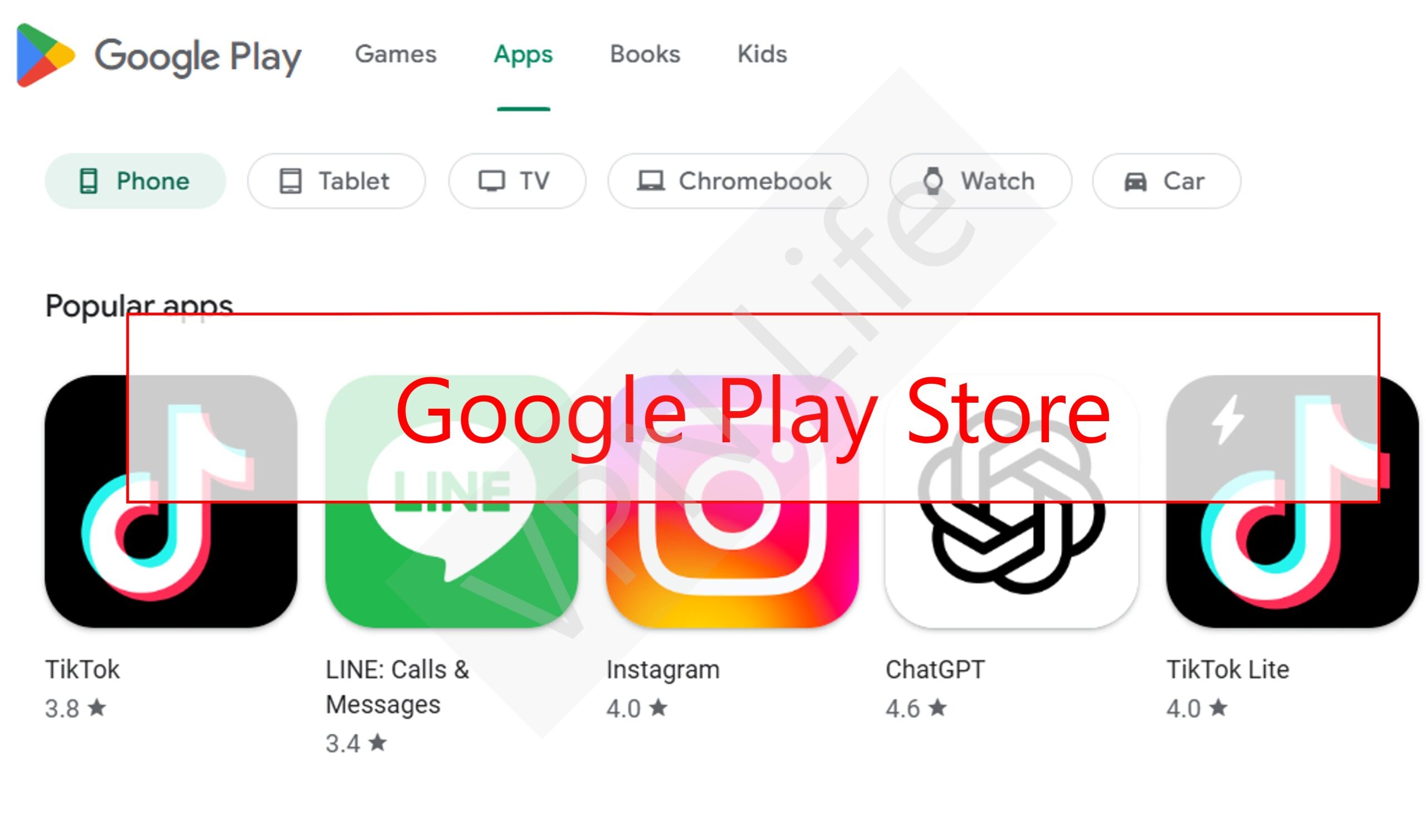
Enable the Google Play Store
On most modern Chromebooks, the Play Store is enabled by default. If not, go to your Settings, find the “Apps” section, and turn on the Google Play Store.
Choose a VPN and Subscribe
Select one of the recommended VPNs like ExpressVPN. Visit their official website to create an account and subscribe to a plan that suits you.
Download the App
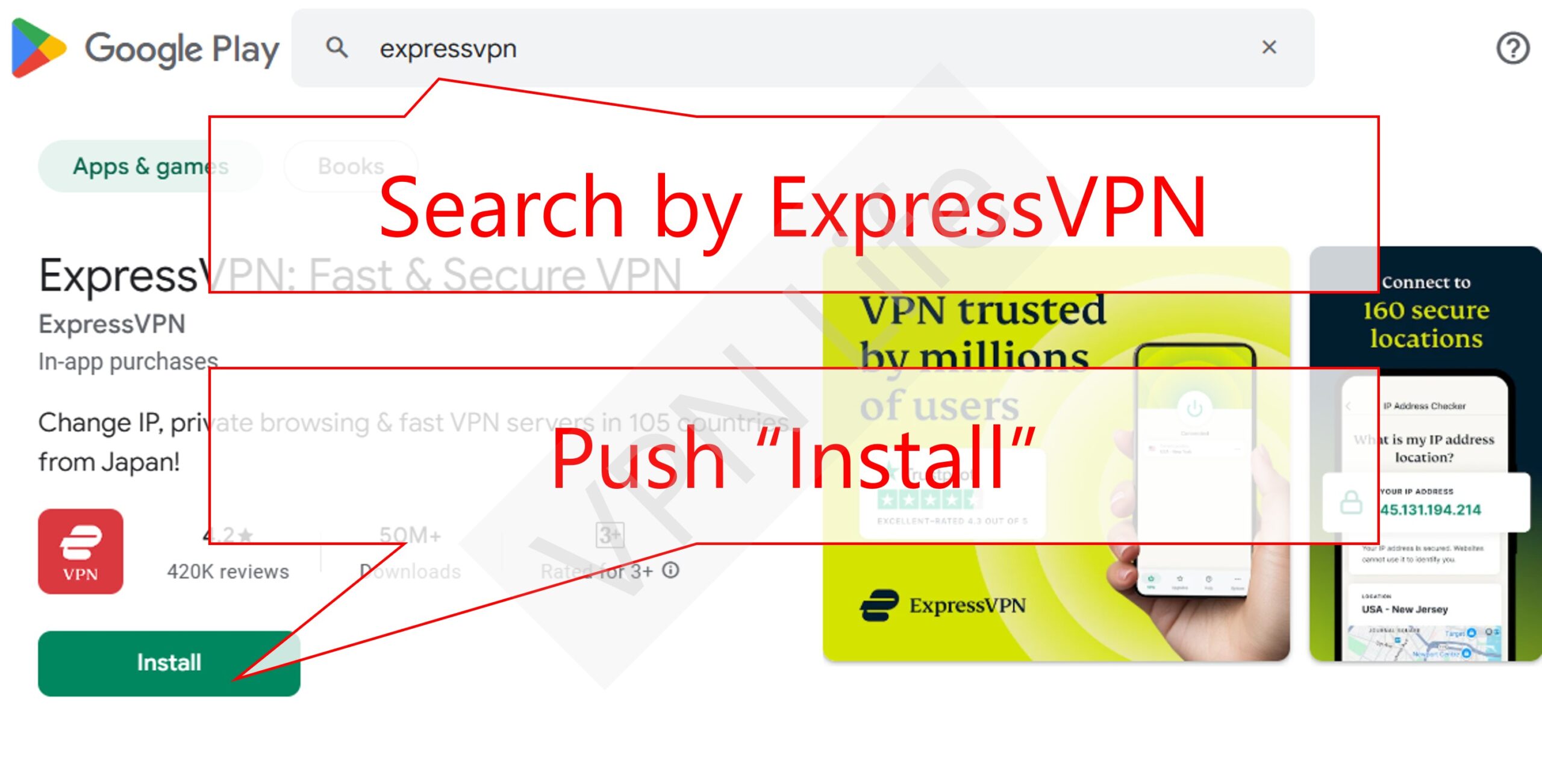
Open the Google Play Store on your Chromebook. Use the search bar to find the official app for your chosen VPN provider.
Install the App
Click the “Install” button. The app will download and install on your Chromebook, just like on an Android phone.
Log In
Once installed, open the VPN app from your app launcher. You will be prompted to log in. Enter the username and password you created when you subscribed to the service.
Connect to a Server
After logging in, the app will typically show a large “Connect” button to connect you to the fastest available server. You can also browse the list of server locations and select a specific country to connect to. Tap your desired location, and the app will establish a secure connection.
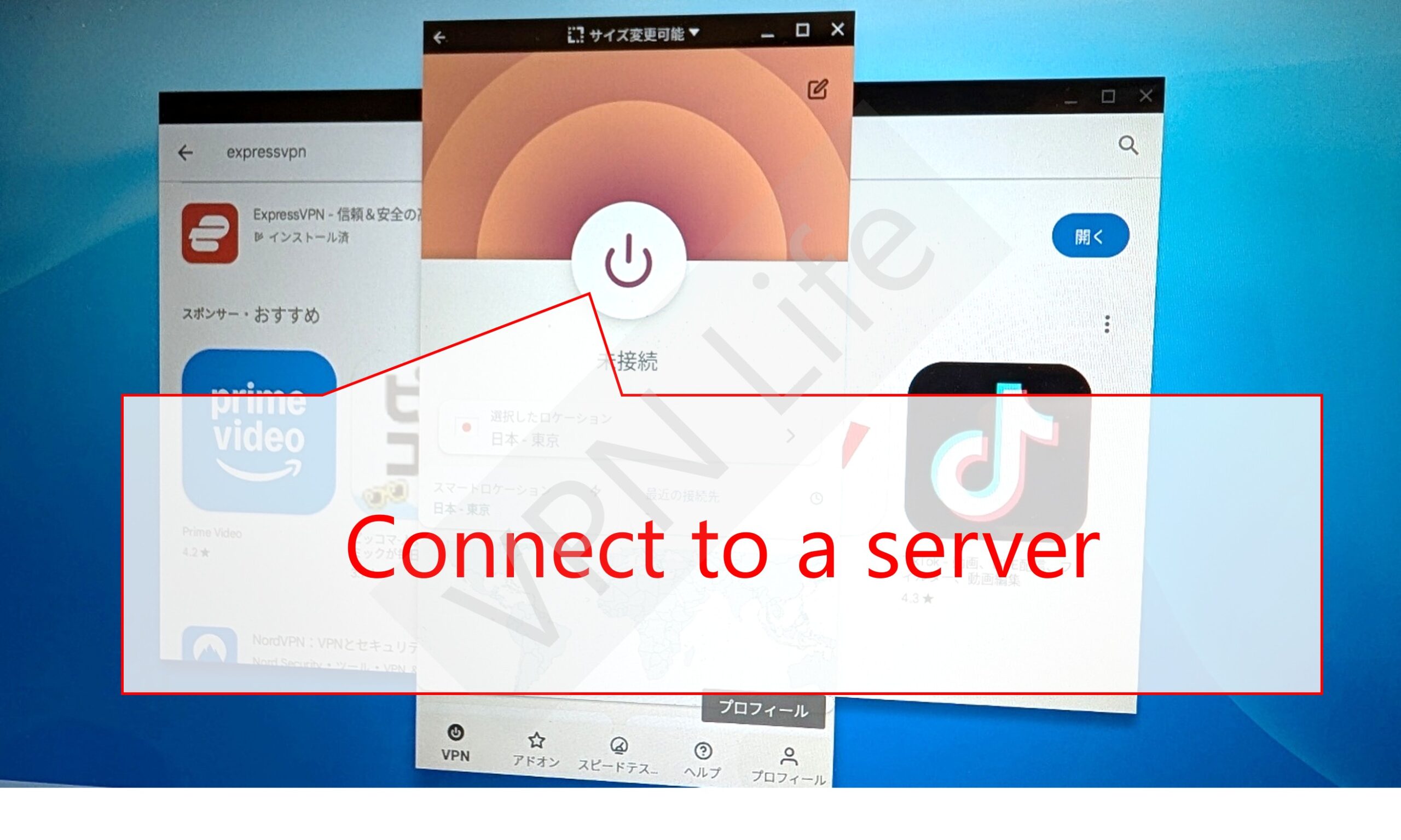
Once connected, you’ll see a small key icon in your Chromebook’s status bar, indicating that the VPN is active and your connection is encrypted. All your internet traffic will now be routed securely through the VPN server.
FAQs
Navigating the world of VPNs can bring up several questions. Here are answers to some of the most common queries from Chromebook users.
Is it illegal to use a VPN on a Chromebook?
In the vast majority of countries, including the United States, Canada, the UK, and most of Europe, using a VPN is perfectly legal. People and companies use VPNs for legitimate reasons every day, such as protecting privacy and securing corporate data.
However, a few countries have restrictions or have banned the use of unauthorized VPNs. These countries often have strict internet censorship. It is always wise to be aware of the local laws of the country you are in. Furthermore, while using a VPN is legal in most places, using it to conduct illegal activities is not. A VPN does not make unlawful actions lawful.
Can I use a free VPN on a Chromebook?
While it is technically possible to use a free VPN on a Chromebook, it is generally not recommended. Free VPN services have to make money somehow, and they often do so in ways that compromise your privacy and security—the very things you are using a VPN to protect.
Many free VPNs log user data and sell it to third parties, have weak security protocols, and may even contain malware. They also typically offer limited server locations, slow speeds due to server overcrowding, and data caps, which makes them frustrating to use for streaming or large downloads. For reliable security and performance, a paid service is a much safer and more effective choice.
Is it okay to use a VPN on a school Chromebook?
Using a VPN on a school-issued Chromebook can be a gray area. Many schools and educational institutions have policies that restrict the use of tools that can bypass their network filters. These filters are often in place to block distracting or inappropriate content and to comply with regulations.
Using a VPN to bypass these restrictions may violate your school’s acceptable use policy. The consequences could range from a warning to disciplinary action. Before installing a VPN on a school device, it is crucial to review your school’s technology policy or consult with a teacher or administrator.
Will using a VPN slow down my internet speed?
A VPN encrypts your data and routes it through an intermediary server, which adds a few extra steps to your connection process. Because of this, it is normal to experience some reduction in internet speed.
However, the impact on speed depends heavily on the quality of the VPN provider. Top-tier VPNs like ExpressVPN and NordVPN invest in high-speed servers and optimized protocols (like Lightway and NordLynx) to minimize speed loss. In many cases, the slowdown is barely noticeable, especially if you have a fast baseline internet connection. Connecting to a server that is geographically closer to you can also help reduce latency and improve speed.
What should I do if I can’t watch videos even with a VPN connected?
Sometimes, streaming services detect and block traffic from known VPN servers. If you find you cannot watch a video even with your VPN active, here are a few troubleshooting steps you can try:
- Switch Servers: The easiest fix is often to disconnect and reconnect to a different server in the same country. Premium VPNs offer many servers per location, and some are specifically optimized for streaming.
- Clear Browser Cache and Cookies: Your browser can store location data that might reveal your true location to the streaming site. Clearing your cache and cookies can sometimes resolve the issue.
- Contact Customer Support: Your VPN provider’s support team can often tell you exactly which servers are currently working with a specific streaming service.
- Try a Different Protocol: In your VPN app’s settings, you might be able to switch between different connection protocols (e.g., OpenVPN, WireGuard, IKEv2), which can sometimes help.
Conclusion
Securing your Chromebook with a VPN is a straightforward way to significantly enhance your online privacy and unlock a world of content. By encrypting your connection, a VPN protects your sensitive data from prying eyes, especially on public Wi-Fi. It also grants you the ability to bypass frustrating geo-restrictions, allowing you to enjoy your favorite streaming services from anywhere.
For most users, a service like NordVPN offers the best combination of speed, security, and value. If your priority is achieving the fastest possible speeds for streaming, ExpressVPN is an outstanding choice. For those on a tighter budget who still need reliable security and unlimited device connections, Private Internet Access provides a compelling and affordable solution. By choosing a reputable provider and following the simple installation steps, you can ensure a safer and more versatile experience on your Chromebook.