
It can be incredibly frustrating to click on a video on X, only to be met with a message stating that the content is unavailable. When the error 「this video is not available in your location」is displayed on your ‘X (twitter)’ page, it blocks you from viewing content that others can see freely. This issue stems from regional restrictions, but thankfully, there is a reliable and straightforward solution.
This guide will explain why this error occurs, how platforms like twitter identify your location, and the simple steps you can take using a common tool to bypass this restriction and watch the videos you want to see.
Fixing the ‘This video is not available in your location’ Error on X (Twitter)


- Subscribe to a VPN Service like ExpressVPN and Install the App.
- Launch the App and Connect to a VPN Server in the Correct Region.
- Access X and Watch the Content.
The Main Reason X Videos Are Unavailable: Licensing and Rights Issues
The primary cause behind the “this video is not available in your location” error is related to content licensing and distribution rights. Much like how a TV show or movie might be available on a streaming service in one country but not another, the rights to show certain video content online are often restricted to specific geographic regions.

Content creators, publishers, or the platform itself may have agreements that limit where a video can be legally broadcast. These restrictions can be due to a variety of factors, including copyright laws, broadcasting partnerships, or the specific terms of a promotional campaign. When you attempt to view a video from outside its designated region, the platform is obligated to block your access to comply with these legal agreements. Therefore, the error message is a direct result of the system enforcing these geo-restrictions.
How Content Distributors Identify Your Location: The Role of an IP Address
To enforce the regional restrictions mentioned above, platforms like X must have a way to determine where you are accessing their service from. This is accomplished by identifying your IP address. An IP address, or Internet Protocol address, is a unique numerical label assigned to every device connected to the internet. It functions much like a physical mailing address for your computer or smartphone, revealing your general geographic location to any website or online service you connect with.
When you try to watch a video on X, the platform’s servers automatically check your IP address. If the location associated with your IP address is outside the permitted viewing area defined by the content’s licensing agreement, the system will block the video and display the unavailability message. This process is automated and is the standard method used across the web to control access to geo-restricted content.
Accessing Geo-Restricted Content: How a VPN Can Help
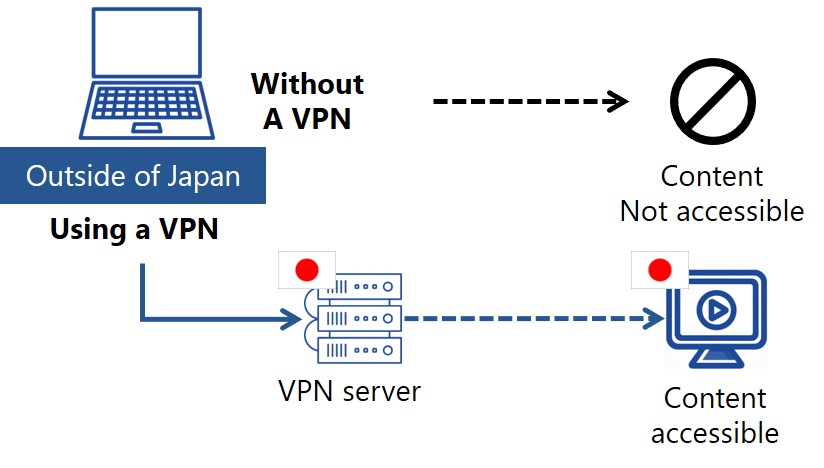
A Virtual Private Network, or VPN, is a powerful tool that allows you to bypass these geographic restrictions. A VPN works by creating a secure, encrypted connection between your device and a remote server operated by the VPN provider. When you connect to this server, it masks your real IP address and replaces it with the IP address of the server you are connected to.
For example, if you are in Europe and want to watch a video that is only available in Japan, you can use a VPN to connect to a server located in Japan. Once connected, your device will adopt a Japanese IP address. When you then visit X, its servers will see the Japanese IP address and grant you access to the content as if you were physically located within the permitted region. This process effectively and legally circumvents the geo-blocks, opening up a world of content that would otherwise be inaccessible.
How to fix the ‘This video is not available in your location’ error on X (Twitter)
Using a VPN to resolve the “video not available” error is a quick and simple process. You can be set up and watching your desired content in just a few minutes by following these three steps.
- Subscribe to a VPN Service like ExpressVPN and Install the App.
- Launch the App and Connect to a VPN Server in the Correct Region.
- Access X and Watch the Content.
STEP 1: Subscribe to a VPN Service and Install the App.
First, you need to choose a reputable VPN service and subscribe to a plan. It is advisable to select a well-known, paid service, as they offer the speed, security, and reliability needed for a smooth experience. After creating an account, download the VPN provider’s official application for your device (e.g., Windows, macOS, iOS, or Android). The installation process is typically straightforward and guided by an on-screen wizard.
Here, we’ll use the industry-leading service ExpressVPN as an example to connect to a server in Japan.
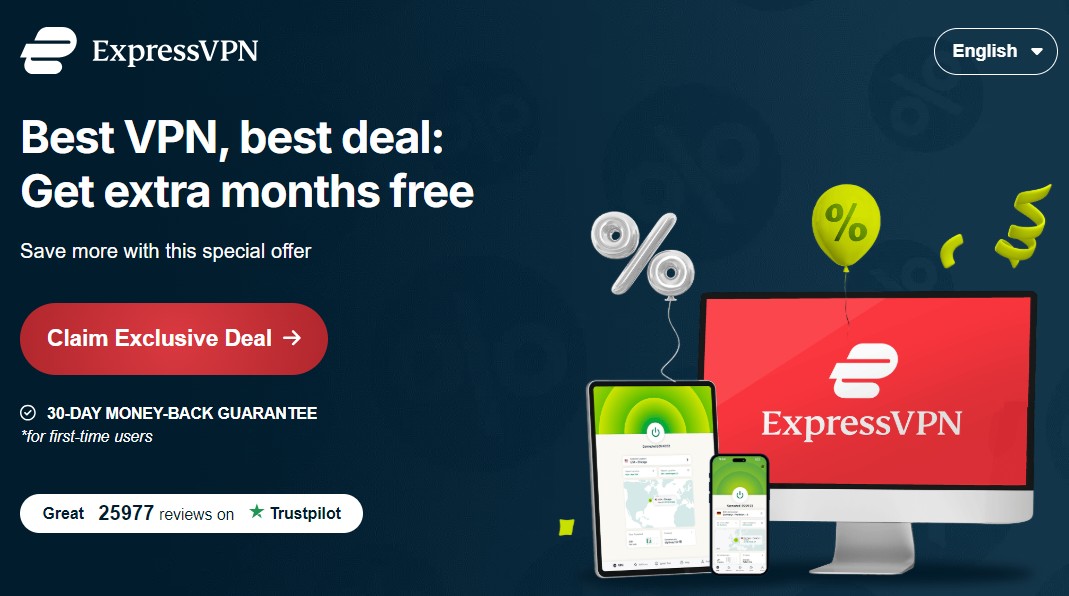
To register with ExpressVPN , click the “Claim Exclusive Deal” button as shown below. After the price plan is shown, follow the instructions.
STEP 2: Launch the App and Connect to a VPN Server in the Correct Region
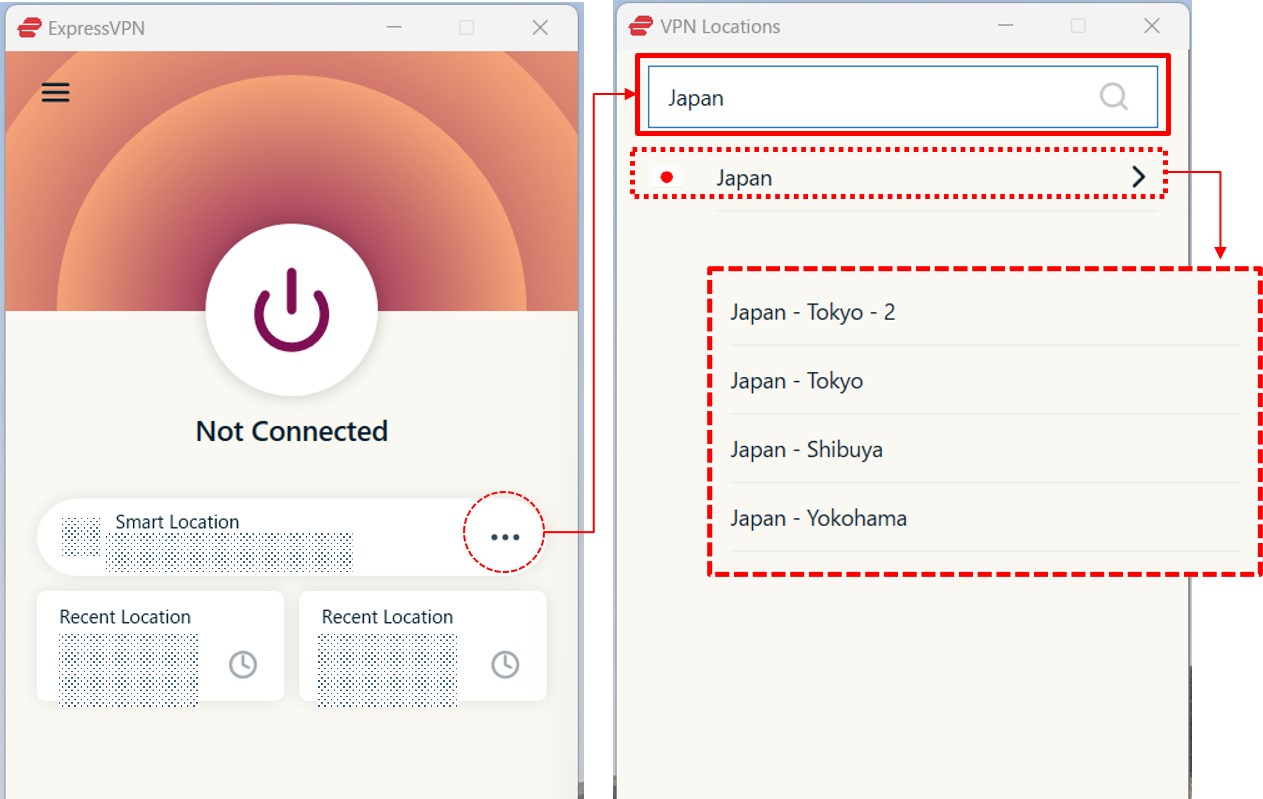
Once the application is installed, open it and log in with your account credentials. You will see a list of available server locations from around the world. To watch a geo-restricted video, you must connect to a server in a country where the content is available. For instance, if you believe the video is restricted to Japan, scroll through the server list and select a server located in Japan. Click the “connect” button to establish a secure connection.
STEP 3: Access X and Watch the Content
With the VPN connection active, your real IP address is now hidden, and you appear to be browsing from the location of the server you selected. Now, open the X app or website. It is sometimes helpful to fully close and reopen the app or clear your browser’s cache to ensure the location change is recognized.
Navigate back to the video that was previously blocked. The “this video is not available in your location” message should now be gone, allowing you to play the content without any issues.
Recommended VPNs for Unblocking on X
Not all VPNs are created equal. For fixing the ‘This video is not available in your location’ error on X (Twitter), you need a service with strong security, a strict no-logs policy, and fast speeds. The following VPNs are highly regarded for their strong security features, and commitment to user privacy, making them excellent choices for file sharing.
| ExpressVPN | NordVPN | SurfShark | |
| Prices | Basic: $2.99/mo Advanced: $4.49/mo Pro: $7.49/mo (2 Years + 4 Months plan, as of September 2026) | Basic: $3.49/mo Complete: $4.49/mo Prime: $7.49/mo (2 Years + 3 Months plan, as of July 2026) | Starter: $2.80/mo One: $3.14/mo One+: $5.05/mo (2 Years + 3 Months plan, as of September 2026) |
| Money-back Guarantee | 30 days | 30 days | 30 days |
| Countries | 113 (214 locations) | 149 (224 locations) | 100 (142 locations) |
| Servers | Not disclosed | 9,374 | 4,500+ |
| Maximum devices supported | Basic 10 / Advanced 12 / Pro 14 | 10 | Unlimited |
| Connection Speed | Ultra Fast | Fast | Fast |
| Security | AES-256 Kill Switch | AES-256 Kill Switch | AES-256 Kill Switch |
| Privacy | No-logging | No-logging | No-logging |
| Support | 24/7 Live Chat Support | 24/7 Live Chat Support | 24/7 Live Chat Support |
ExpressVPN: Ultra-fast Internet Speeds
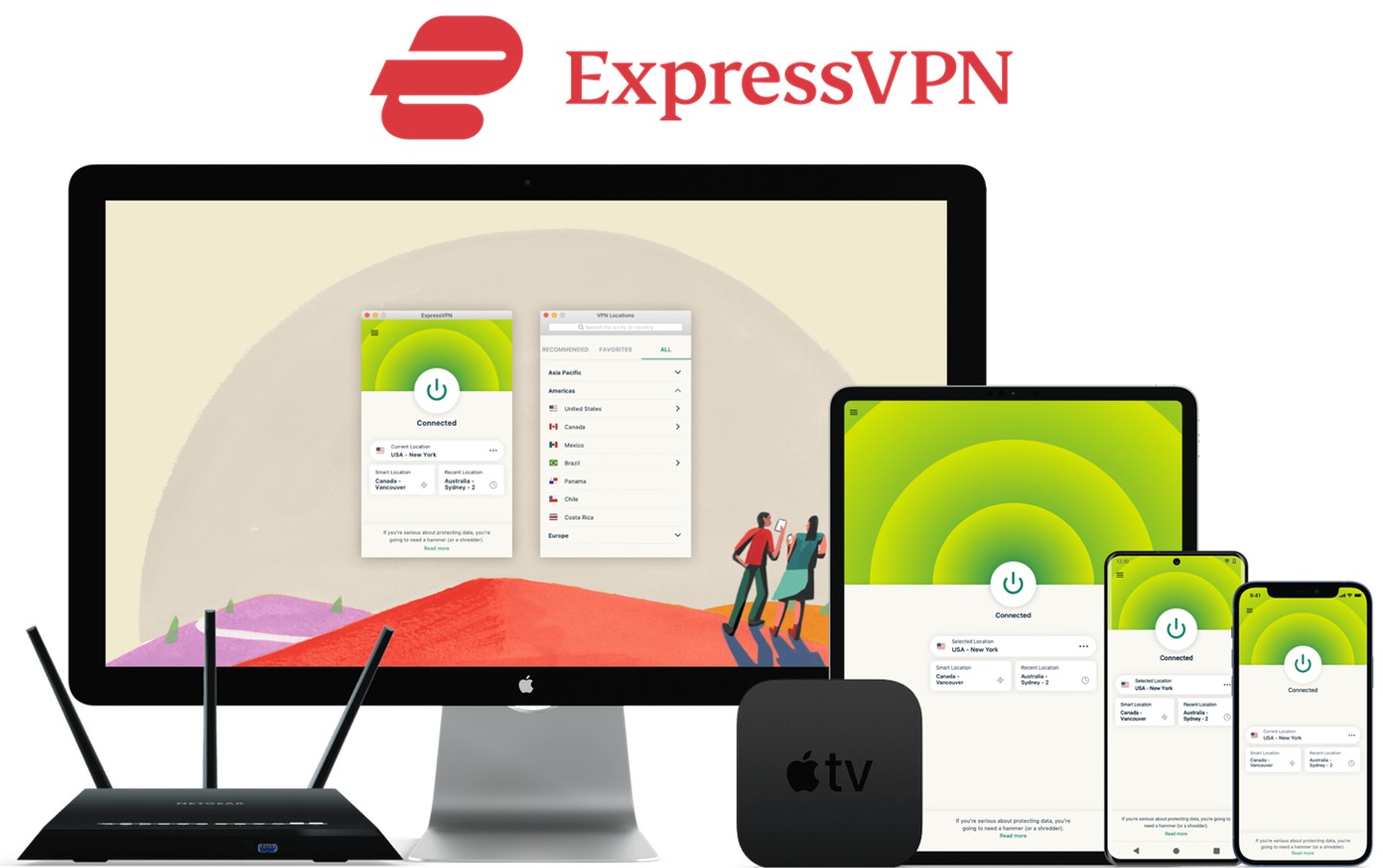
| Prices | Basic: $2.99/mo Advanced: $4.49/mo Pro: $7.49/mo (2 Years + 4 Months plan, as of September 2026) |
| Money-back Guarantee | 30 days |
| Countries | 113 (214 locations) |
| Servers | Not disclosed |
| Maximum devices supported | Basic 10 / Advanced 12 / Pro 14 |
ExpressVPN offers some of the fastest internet speeds among the VPNs we have used. All VPNs may slow down your internet connection, but ExpressVPN is one of the fastest, and you rarely notice the difference. Review sites consistently rank ExpressVPN as one of the fastest VPNs. Additionally, with servers in 113 countries across 214 locations, you have a wide choice of countries to change IP addresses to. Real humans are available 24-hour live chat support to help you with setup and troubleshooting. ExpressVPN also has a no-log policy.
After you’ve registered with ExpressVPN, you can use it to easily browse the internet just by downloading their app.
- Excellent speed and stability
- Fast and user-friendly app
- Strict no-logs policy
- Wide range of server countries
- Accepts Bitcoin payments
- Slightly more expensive than competitors
- Place a high importance on internet speed
\30 day Money-Back Guarantee/
NordVPN: The Ultimate Balance of Price and Internet Speed
| Prices (standard plan) | Basic: $3.49/mo Complete: $4.49/mo Prime: $7.49/mo (2 Years + 3 Months plan, as of July 2026) |
| Money-back Guarantee | 30 days |
| Countries | 149 (224 locations) |
| Servers | 9,374 |
| Maximum devices supported | 10 |
NordVPN’s excellent service, and balance of price, internet speed, servers, and countries, has allowed it to gain the greatest market share in the world. Overall, NordVPN consistently receives great reviews from leading experts. NordVPN has 9,374 servers in 149 countries, so you also have a lot of choices for which country to change your IP address to. You can et help and advice from our friendly customer support team through email or live chat for your 24/7. And NordVPN also has a no-log policy.
After you’ve registered, you can easily browse the internet using NordVPN just by downloading their app.
- World's most popular VPN by new user subscriptions
- Large number of available servers
- Competitive pricing
- Strict no-logs policy
- User-friendly dedicated apps
- Accepts cryptocurrency payments
- Short-term plans can be relatively costly
- Want to balance price and internet speed
\30 day Money-Back Guarantee/
Surfshark: Impressive Performance with a Lower Price
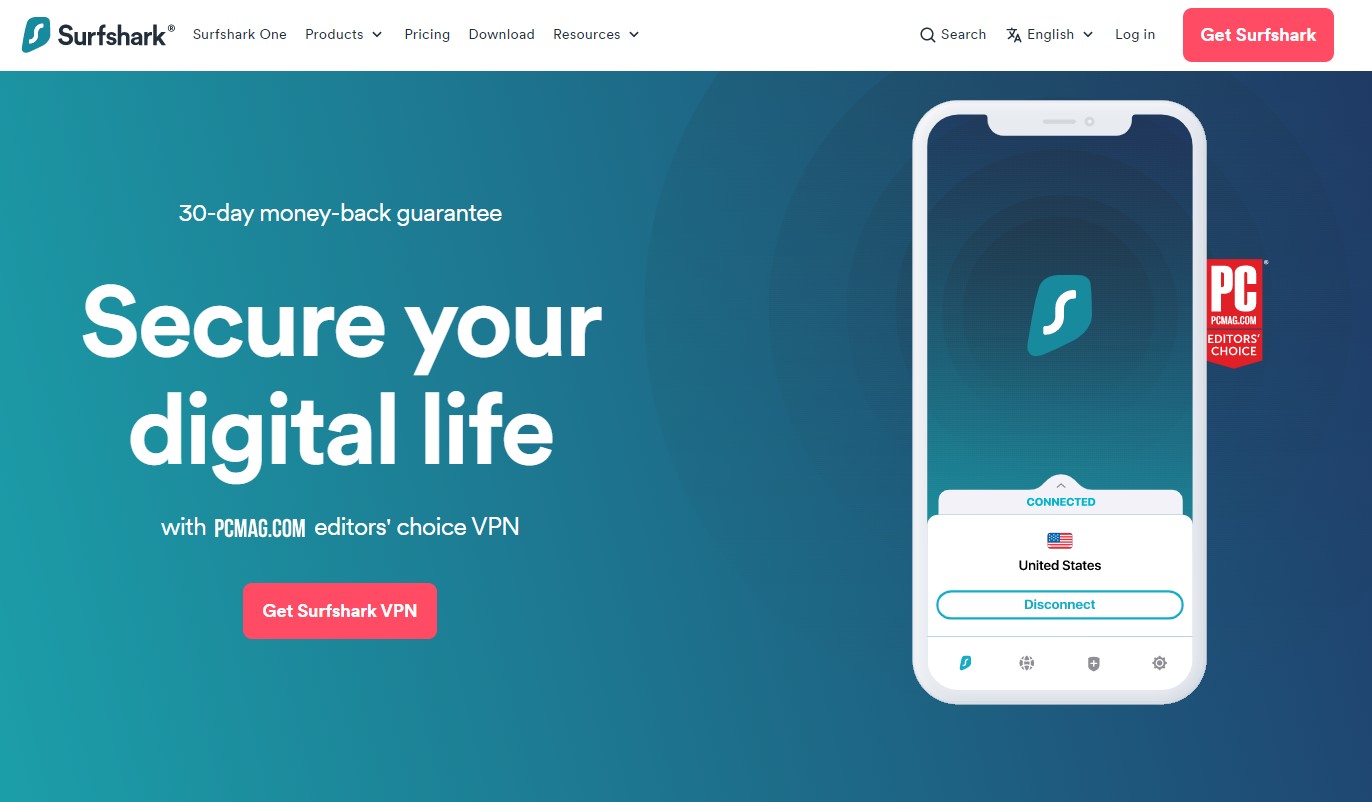
| Prices (standard plan) | Starter: $2.80/mo One: $3.14/mo One+: $5.05/mo (2 Years + 3 Months plan, as of September 2026) |
| Money-back Guarantee | 30 days |
| Countries | 100 (142 locations) |
| Servers | 4,500+ |
| Maximum devices supported | Unlimited |
Surfshark offers impressive performance with a lower price. You can get Surfshark much cheaper than other services if you apply for the 24-month plan. Furthermore, Surfshark has no connection limits. So, you and your family can connect and use all your devices simultaneously. Surfshark has more than 4,500 servers in 100 countries. Just like the other VPNs, you also have a lot of choices for which country to change your IP address to. Customer support experts are there for you 24/7, if you need a helping hand with them via live chat or email. And SurfsharkVPN also has a no-log policy.
After you’ve registered, you can easily browse the internet using Surfshark by downloading their app.
- Affordable price (cheaper than NordVPN & ExpressVPN)
- Unlimited simultaneous connections (ideal for families)
- Large number of available servers
- Speeds comparable to top-tier providers
- Strict no-logs policy
- Accepts cryptocurrency payments
- Less effective at bypassing geo-restrictions
- Limited service history / Less established
- Who are budget conscious and want to want to connect with lots of devices
\30 day Money-Back Guarantee/
FAQs
Here are some answers to common questions about using a VPN to watch videos on X(Twitter).
Is it illegal to watch videos on X(Twitter)by using a VPN service?
In most countries around the world, the use of a VPN is perfectly legal. However, the act of using it to bypass geo-restrictions can sometimes fall into a legal gray area. While it is not typically against the law, it may violate the terms of service of the platform you are using, in this case, X(Twitter) Platforms reserve the right to restrict access based on location, and circumventing these measures could theoretically be a breach of their user agreement. That said, it is extremely rare for a platform to take action against a user for simply watching geo-blocked content. It should be noted that a VPN does not make illegal activities, such as downloading copyrighted material without permission, legal.
Can I Use a Free VPN to Watch Geo-Restricted Videos on X?
While it may be tempting to use a free VPN, it is strongly discouraged for watching geo-restricted videos. Free VPN services often come with significant drawbacks that can lead to a frustrating and potentially insecure experience. They typically offer very slow connection speeds and impose strict data caps, making video streaming difficult or impossible. Furthermore, many free VPNs have questionable privacy policies and may log your browsing activity to sell to third parties, defeating the purpose of using a VPN for privacy. Some have even been found to contain malware. For reliable access and proper security, investing in a low-cost, reputable paid VPN is the recommended approach.
Conclusion
Encountering the “this video is not available in your location” error on X is a common problem rooted in content licensing agreements. Platforms use your IP address to determine your location and enforce these regional blocks. The most effective and straightforward solution is to use a reputable VPN service.
To summarize the key points:
- This error is primarily caused by geo-restrictions based on content licensing rights.
- Your IP address is what reveals your physical location to X, allowing them to block content.
- A VPN masks your real IP address and makes it appear as if you are browsing from a different country, allowing you to bypass these restrictions.
- The process is simple: subscribe to a VPN, connect to a server in the appropriate country, and then access X to watch the video.
By using the right tool, you can easily resolve this issue and gain access to a much wider range of content on the platform.
Fixing the ‘This video is not available in your location’ Error on X (Twitter)