Pomelli, an experimental AI marketing tool from Google Labs and Google DeepMind, launched in October 2025, but is only in public beta in the US, Canada, Australia, and New Zealand (English only).
As Google notes, it’s still experimental and will evolve based on feedback. This means that if you are located outside these regions, you currently cannot use Pomelli. Fortunately, a VPN is a powerful and efficient tool to solve this problem.
- Download a VPN service like ExpressVPN.
- Log in to the VPN app and connect to a VPN server located in US,like Los Angeles or Seattle.
- Access the Pomelli’s homepage or download the Pomelli App.
What is Pomelli
Pomelli is an experimental AI marketing tool from Google Labs and Google DeepMind designed to help small to medium-sized businesses quickly create on-brand social media campaigns and marketing assets.

This tool uses a three-step process to generate content:
- Build Your “Business DNA”: You provide Pomelli with your website URL. The AI scans your site to learn your brand identity, including tone of voice, color palettes, fonts, and visual style.
- Generate Campaign Ideas: Based on your brand’s DNA, Pomelli suggests tailored marketing campaign concepts, or you can input custom prompts to direct the AI toward a specific goal.
- Create Editable Assets: Pomelli produces ready-to-use marketing assets (images, copy, social media posts, and ads) that align with your brand. These assets can be reviewed, edited within the tool, and downloaded for use across various channels.
However, Pomelli, is currently subject to specific geographic and language limitations as part of its public beta phase. It is not available globally. Pomelli’s access is restricted to the following four countries, and it only operates in the English language:
- United States
- Canada
- Australia
- New Zealand
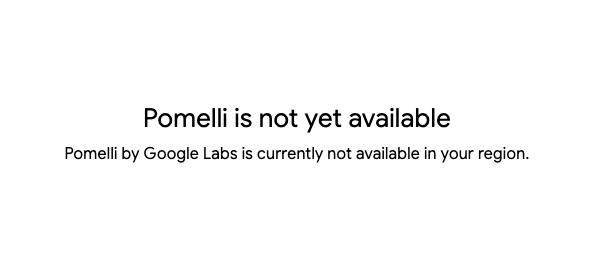
Users attempting to access the service from outside these regions will typically receive a “Not available in your region” notice and may be directed to a waitlist.
How is Pomelli Blocked Outside the US?
Like many US-based platforms, it implements strict access controls. Pomelli analyzes the IP address of every visitor to determine their physical location. If the system detects that an IP address originates from outside the United States, it denies access to the content or tools.
This is known as Geo-blocking, and it prevents users from enjoying the full benefits of the service. Fortunately, there are effective methods for a Pomelli bypass that allow you to regain access. By understanding how to overcome these Geo Restrictions, you can use the platform as if you were physically located in the United States.This guide will explain exactly how to use Pomelli outside the USA safely and easily.
VPN: An Efficient Tool to Bypass Pomelli’s Geo-Restrictions
A Virtual Private Network (VPN) is the most reliable tool for overcoming these digital barriers. To understand why this works, it is helpful to look at the mechanics of how a VPN operates and how it interacts with location-based restrictions.
What is a VPN?
A VPN is a service that creates a secure, encrypted connection between your device and the internet. When you connect to the internet normally, your data travels directly from your device to the website you are visiting, exposing your IP address. Your IP address acts like a digital home address, revealing your approximate physical location to the websites you visit.
A VPN changes this route. Instead of connecting directly, your traffic is routed through a private server owned by the VPN provider. This process encrypts your data, making it unreadable to third parties such as hackers or internet service providers. More importantly for this context, it masks your real IP address and replaces it with the IP address of the VPN server you are connected to.
Why Pomelli’s geo-restrictions can be bypassed
As mentioned previously, Pomelli relies on your IP address to determine if you are allowed access. When you use a VPN, you can choose to connect to a server located in the United States. Once connected, your internet traffic appears to originate from that US server rather than your actual location in Japan, China, or elsewhere.
From Pomelli’s perspective, the request for access is coming from a legitimate US IP address. The system sees this US address, assumes you are physically located in America, and grants access to the service. The VPN effectively tricks the geo-blocking filters by spoofing your location. This allows you to use the platform seamlessly, bypassing the restrictions that would otherwise block you.
Recommended VPNs to bypass Pomelli’s geo-restrictions
Choosing the right VPN is critical because not all providers can successfully bypass sophisticated geo-blocks. Some VPNs have slow speeds or limited server options. Based on performance, security, and reliability, the following VPNs are highly recommended for accessing Pomelli.
| ExpressVPN | NordVPN | SurfShark | |
| Prices | Basic: $2.49/mo Advanced: $2.99/mo Pro: $5.49/mo (2 Years + 4 Months plan, as of July 2026) | Basic: $3.49/mo Complete: $4.49/mo Prime: $7.49/mo (2 Years + 3 Months plan, as of July 2026) | Starter: $2.49/mo One: $2.79/mo One+: $4.49/mo (2 Years + 3 Months plan, as of July 2026) |
| Money-back Guarantee | 30 days (not applicable to subscriptions purchased during the sale period) | 30 days | 30 days |
| Countries | 113 (214 locations) | 149 (224 locations) | 100 (142 locations) |
| Total Number of Servers | Not disclosed | 9,374 | 4,500+ |
| Servers in the US | Yes | Yes | Yes |
| Connection Speed | Ultra Fast | Fast | Fast |
| Security | AES-256 Kill Switch | AES-256 Kill Switch | AES-256 Kill Switch |
| Privacy | No-logging | No-logging | No-logging |
| Support | 24/7 Live Chat Support | 24/7 Live Chat Support | 24/7 Live Chat Support |
| Maximum devices supported | Basic 10 / Advanced 12 / Pro 14 | 10 | Unlimited |
ExpressVPN: Ultra-fast Internet Speeds
| Prices | Basic: $2.49/mo Advanced: $2.99/mo Pro: $5.49/mo (2 Years + 4 Months plan, as of July 2026) |
| Money-back Guarantee | 30 days (not applicable to subscriptions purchased during the sale period) |
| Countries | 113 (214 locations) |
| Total Number of Servers | Not disclosed |
| Security | AES-256 Kill Switch |
| Maximum devices supported | Basic 10 / Advanced 12 / Pro 14 |
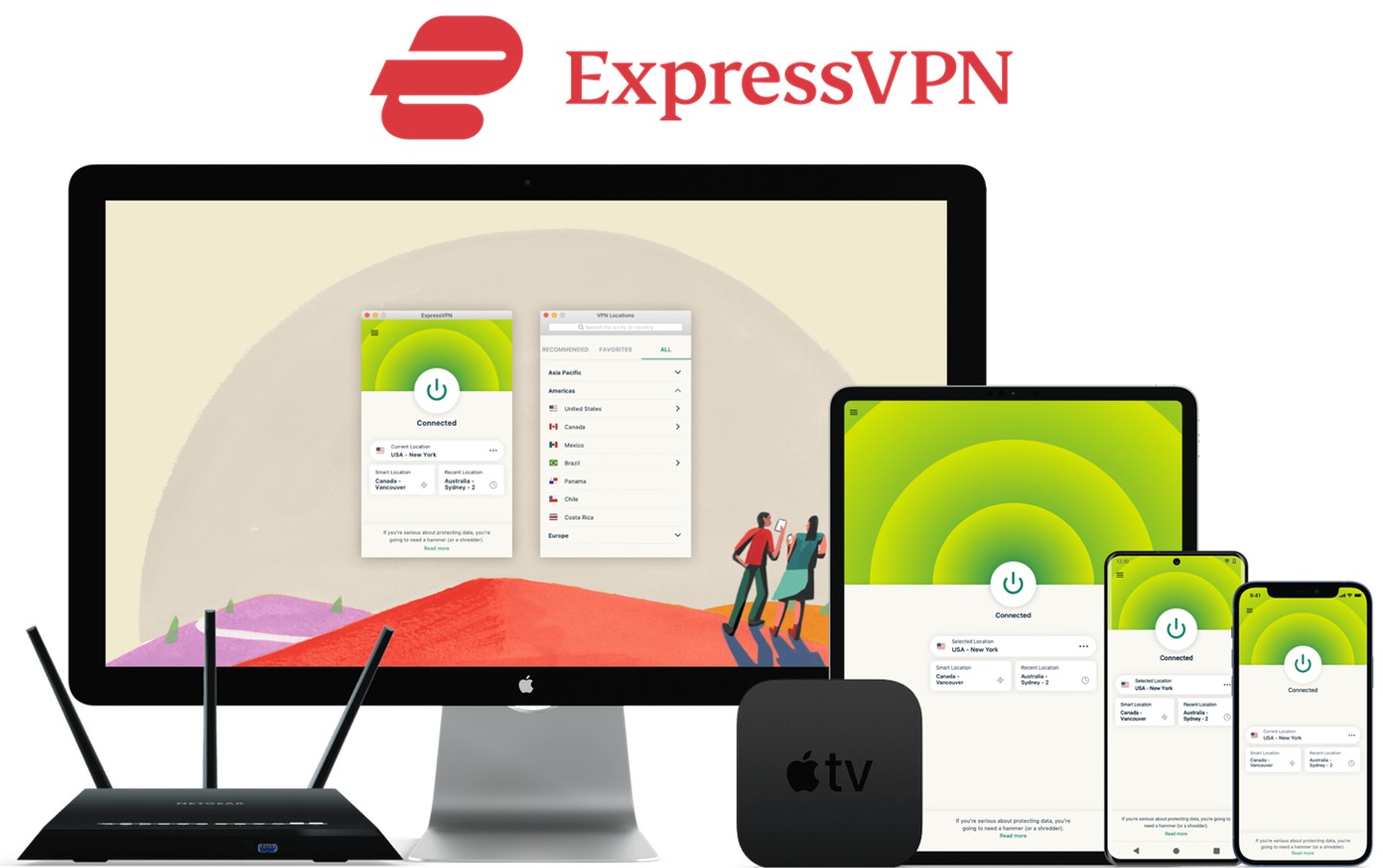
ExpressVPN offers some of the fastest internet speeds among the VPNs we have used. All VPNs may slow down your internet connection, but ExpressVPN is one of the fastest, and you rarely notice the difference. Review sites consistently rank ExpressVPN as one of the fastest VPNs. Additionally, with servers in 113 countries across 214 locations, you have a wide choice of countries to change IP addresses to. Real humans are available 24-hour live chat support to help you with setup and troubleshooting. ExpressVPN also has a no-log policy.
After you’ve registered with ExpressVPN, you can use it to easily browse the internet just by downloading their app.
- Place a high importance on internet speed
\30 day Money-Back Guarantee/
NordVPN: The Ultimate Balance of Price and Internet Speed
| Prices (standard plan) | Basic: $3.49/mo Complete: $4.49/mo Prime: $7.49/mo (2 Years + 3 Months plan, as of July 2026) |
| Money-back Guarantee | 30 days |
| Countries | 149 (224 locations) |
| Total Number of Servers | 9,374 |
| Security | AES-256 Kill Switch |
| Maximum devices supported | 10 |
NordVPN’s excellent service, and balance of price, internet speed, servers, and countries, has allowed it to gain the greatest market share in the world. Overall, NordVPN consistently receives great reviews from leading experts. NordVPN has 9,374 servers in 149 countries, so you also have a lot of choices for which country to change your IP address to. You can et help and advice from our friendly customer support team through email or live chat for your 24/7. And NordVPN also has a no-log policy.
After you’ve registered, you can easily browse the internet using NordVPN just by downloading their app.
- Want to balance price and internet speed
\30 day Money-Back Guarantee/
Surfshark: Impressive Performance with a Lower Price
| Prices (standard plan) | Starter: $2.49/mo One: $2.79/mo One+: $4.49/mo (2 Years + 3 Months plan, as of July 2026) |
| Money-back Guarantee | 30 days |
| Countries | 100 (142 locations) |
| Total Number of Servers | 4,500+ |
| Security | AES-256 Kill Switch |
| Maximum devices supported | Unlimited |
Surfshark offers impressive performance with a lower price. You can get Surfshark much cheaper than other services if you apply for the 24-month plan. Furthermore, Surfshark has no connection limits. So, you and your family can connect and use all your devices simultaneously. Surfshark has more than 4,500 servers in 100 countries. Just like the other VPNs, you also have a lot of choices for which country to change your IP address to. Customer support experts are there for you 24/7, if you need a helping hand with them via live chat or email. And SurfsharkVPN also has a no-log policy.
After you’ve registered, you can easily browse the internet using Surfshark by downloading their app.
- Who are budget conscious and want to want to connect with lots of devices
\30 day Money-Back Guarantee/
How to use a VPN to bypass Pomelli’s geo-restrictions
Once you have selected a VPN provider, the process of setting it up to access Pomelli is straightforward. The following steps outline the general procedure applicable to most major VPN services.
- Download a VPN service like ExpressVPN.
- Log in to the VPN app and connect to a VPN server located in US,like Los Angeles or Seattle.
- Access the Pomelli’s homepage or download the Pomelli App.
Step 1. Download the VPN service
The first step is to visit the official website of your chosen VPN provider (such as ExpressVPN or NordVPN). You will need to create an account and select a subscription plan. Once subscribed, download the appropriate application for your device. Most providers offer dedicated apps for Windows, macOS, iOS, and Android.
Install the application by following the on-screen instructions. It is advisable to download the app directly from the official website or a trusted app store to ensure you are getting the genuine, secure version of the software.
Step 2. Log in to the VPN app and connect to a VPN server
After installation, open the VPN application and log in using the credentials you created during sign-up. You will be presented with a main dashboard showing a “Connect” button and a list of locations.
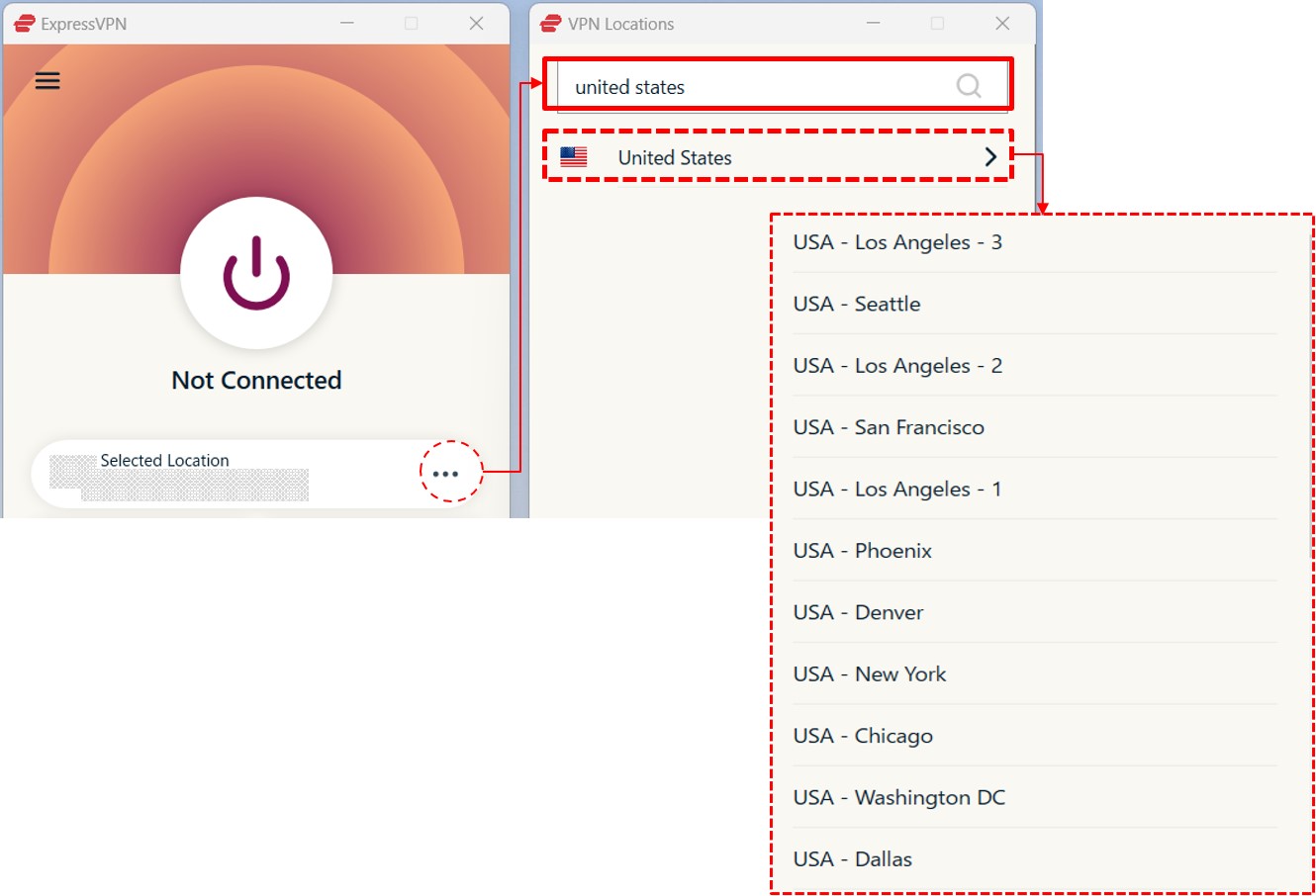
Navigate to the server list and search for “United States.” Select a US server. In many apps, you can simply click “USA” to connect to the fastest available city, or you can manually choose a specific city like Los Angeles or Seattle.
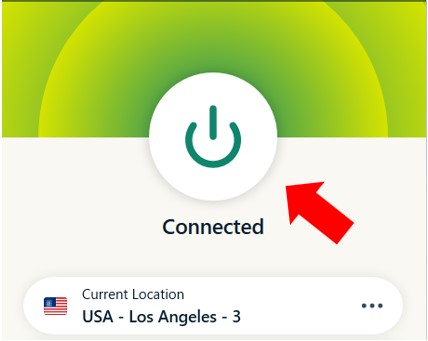
Click the connect button and wait for the app to confirm that the connection is established. Once connected, your IP address is effectively masked.
Step 3. Access the Pomelli’s homepage or download the Pomelli App.
With the VPN connection active and set to the US, you are now ready to access the service. Launch the Pomelli platform or the application you intend to use. Since your connection is routed through the US, the geo-block should no longer trigger.

You can now navigate the interface, access your account, and download the data or content you need. If you encounter any issues, try clearing your browser’s cache or restarting the application while the VPN remains connected.
Be noted,as mentioned previously, ensure the VPN stays connected the entire time you are using the service to prevent the connection from dropping and revealing your true location.
Now, to use Pomelli, you just need a Google ID. Click the “Let’s get started” button, then log in with your Google account. You are now ready to start a new marketing style.
FAQ
Here are answers to common questions regarding the use of VPNs to access region-locked services.
Is it okay to use a free VPN?
While it might be tempting to use a free VPN, it is generally not recommended for this purpose. Free VPN services often come with significant drawbacks that can make the experience more frustrating than helpful. >> Free VPNs vs. Paid VPNs
- Data Caps: Most free VPNs impose their own strict data limits, which can be even more restrictive than MEGA’s quota.
- Slow Speeds: Their servers are often overcrowded, leading to extremely slow download speeds that can make downloading large files impractical.
- Security Risks: Some free VPNs have been found to log user data and sell it to third parties, or even contain malware.
- Limited Servers: They offer a very small selection of servers, and these IP addresses are often already blocked by services like MEGA due to overuse.
Given these limitations, investing in a low-cost, reputable paid VPN is a much more reliable and secure approach.
Is it illegal to use a VPN to bypass Pomelli’s geo-restrictions?
In most countries, using a VPN is perfectly legal. It is a legitimate tool used by businesses and individuals for privacy and security. Bypassing a geo-restriction to access a service like Pomelli is generally considered a violation of the service’s Terms of Service rather than a criminal act.
However, laws vary by country. In some nations with strict internet censorship, the use of non-approved VPNs may be restricted. Additionally, using a VPN to commit crimes (such as copyright infringement or fraud) remains illegal regardless of the tool used. It is advisable to review the laws of your specific country and the Terms of Service of the platform you are accessing.
Conclusion
Accessing Pomelli from outside the USA requires overcoming geo-blocking technology. As discussed, this restriction is based on your IP address, which reveals your physical location. By using a VPN, you can mask your real IP address and replace it with a US-based one, effectively bypassing these limitations.
- Understanding the Block: Pomelli restricts access to US IPs.
- The Solution: A VPN creates an encrypted tunnel and assigns you a US IP.
- Choosing a Provider: ExpressVPN, NordVPN, CyberGhost, and PIA are reliable options with different strengths in speed, price, and features.
- Implementation: The process involves downloading the VPN, connecting to a US server, and then accessing Pomelli.
By following the steps outlined above, you can securely and easily use Pomelli regardless of your actual geographic location.